SETU

SETU

UX

Website

2023

I led UX to turn multiple legacy sites into one accessible, course-first SETU site, defining IA, navigation, course finder, hubs, and accessibility with UI and engineering to ship a fast, coherent result. The UI design for this project was completed by Claire Smith and Emma McEniff, whereas my focus was on research, design strategy and overall user experience.
The challenge

Courses are the most-visited area, so the journey from search to course detail needs to be first-class. Legacy navigation was fragmented, with sub-sites and weak user journeys, which drove users to resort to Google to find inner pages.

Courses are the most-visited area, so the journey from search to course detail needs to be first-class. Legacy navigation was fragmented, with sub-sites and weak user journeys, which drove users to resort to Google to find inner pages.

My approach focused on auditing first and then improving the new MVP product that prioritised key value adding features and usability.

  1. Discovery – Identified usability issues and accessibility barriers within the original Microsoft prototype.

  2. Design thinking – Defined key users and goals through founder workshops, resulting in three proto-personas.

  3. Wireframing & UX design – Developed responsive layouts for desktop, tablet, and pitch-side use.

  4. UI design – Built a dark-mode interface optimised for clarity, accessibility, and data visualisation.

Project involvement

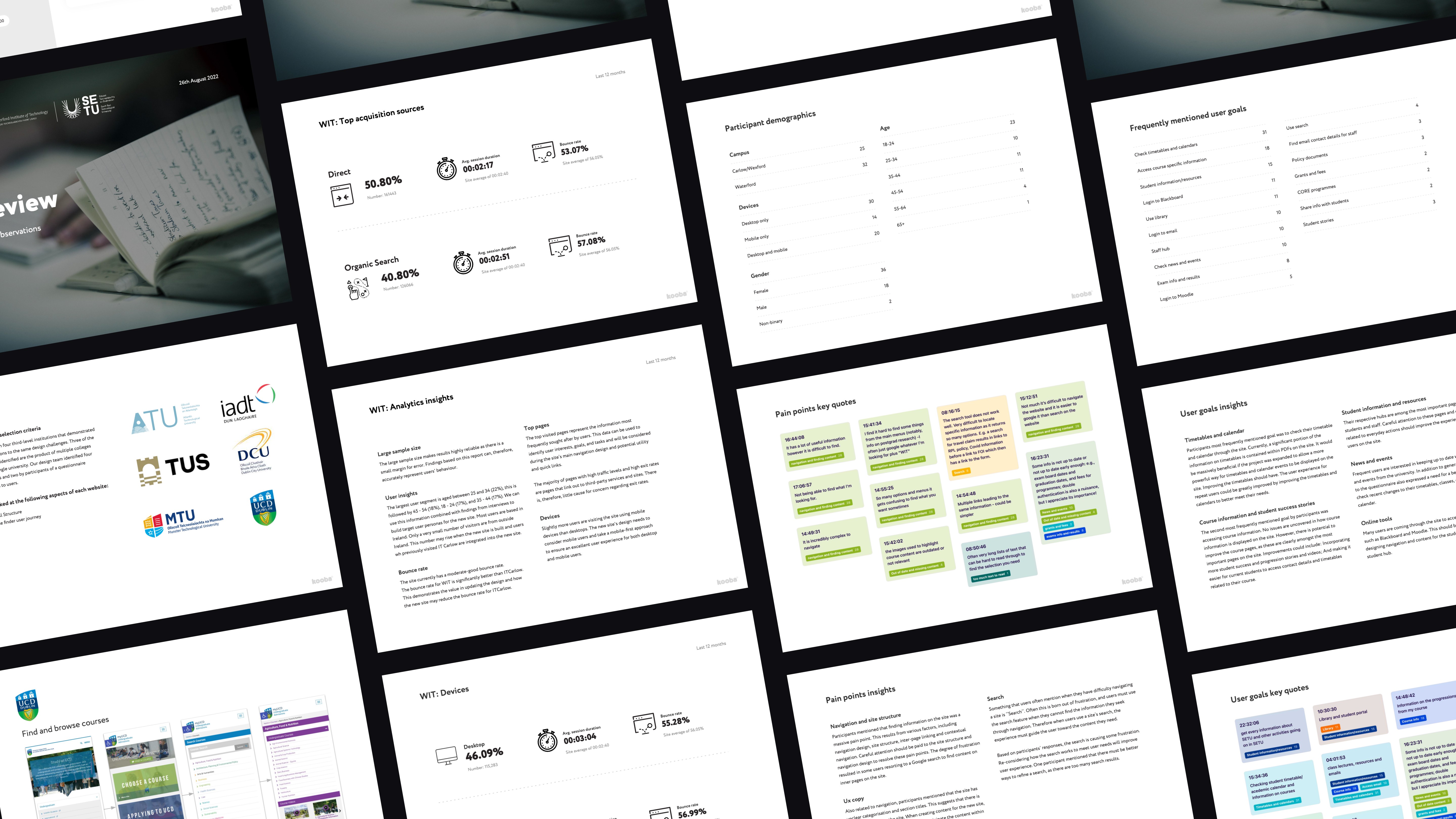
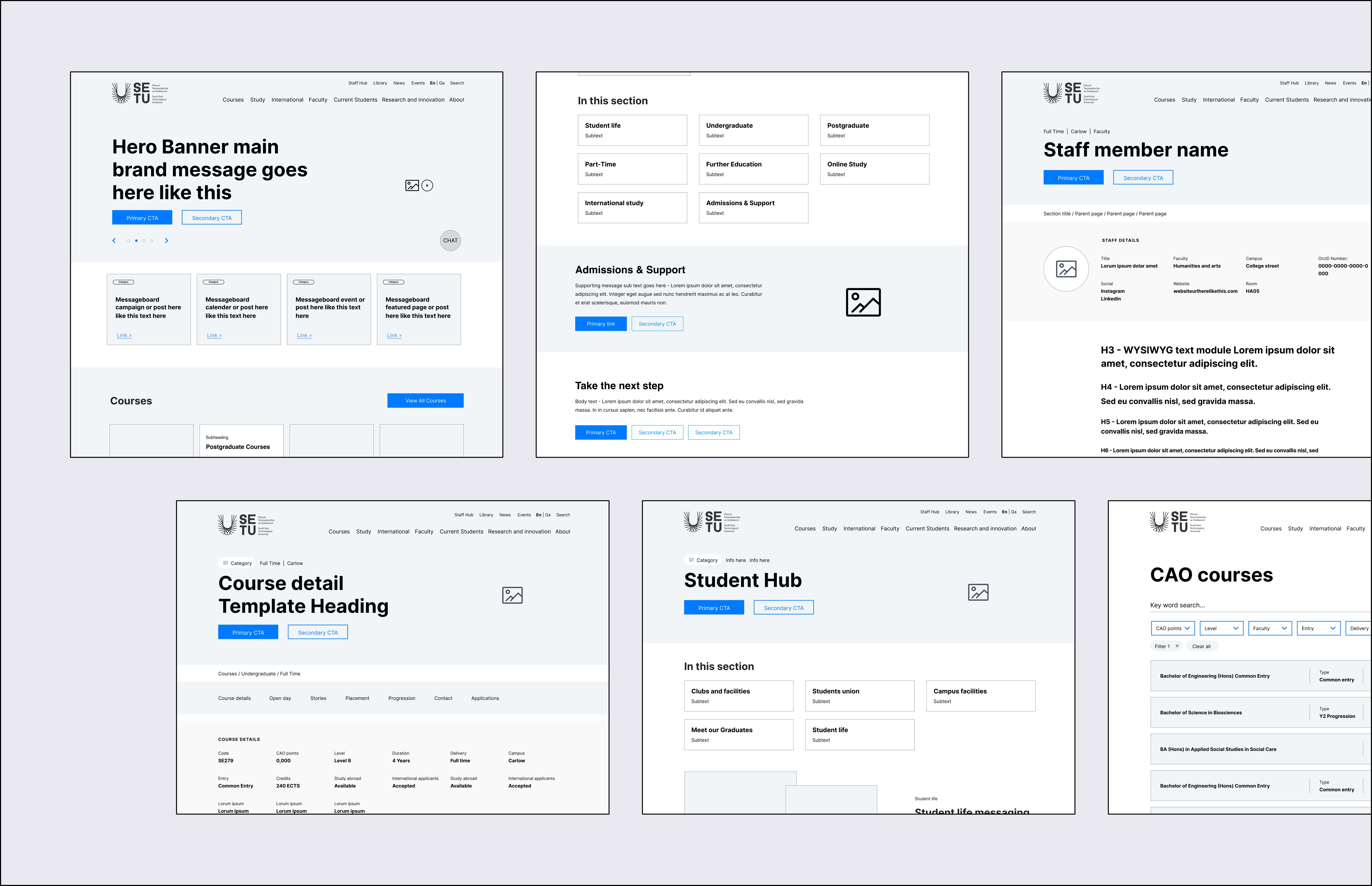
I audited the legacy sites and early SETU analytics, ran a competitor and questionnaire synthesis, then defined IA and key flows: find a course, compare, detail, apply/contact, plus Student/Staff Hubs. Low-fi wireframes established hierarchy and paths before we codified templates, components and content rules for handover.

I audited the legacy sites and early SETU analytics, ran a competitor and questionnaire synthesis, then defined IA and key flows: find a course, compare, detail, apply/contact, plus Student/Staff Hubs. Low-fi wireframes established hierarchy and paths before we codified templates, components and content rules for handover.

The outcome

A course-first architecture, clear hubs, and standards-led templates that improved findability, reduced navigation friction, and set a strong baseline for mobile performance and accessibility. The new website had a 505% increase in new course views, 278% increase in user engagement levels for course pages and won best in universal design at the Spider Awards 2025.

A course-first architecture, clear hubs, and standards-led templates that improved findability, reduced navigation friction, and set a strong baseline for mobile performance and accessibility. The new website had a 505% increase in new course views, 278% increase in user engagement levels for course pages and won best in universal design at the Spider Awards 2025.

Audit and report

I combined an analytics review, a large open-question questionnaire, and competitor benchmarking to focus the work. Analytics showed Courses was by far the most visited area and that users will click whatever sits in primary nav, reinforcing the need for a clear, course-first IA.


A broad survey (400+ responses; 62 analysed for clarity) surfaced repeat tasks—timetables/calendars, student/staff hub actions, and course information—as the most frequent goals.


Competitor and legacy reviews highlighted fragmented sub-sites, weak “way back” paths, and the need for multiple entry points to courses with easy filters and clear next steps.

My approach focused on auditing first and then improving the new MVP product that prioritised key value adding features and usability.

  1. Discovery – Identified usability issues and accessibility barriers within the original Microsoft prototype.

  2. Design thinking – Defined key users and goals through founder workshops, resulting in three proto-personas.

  3. Wireframing & UX design – Developed responsive layouts for desktop, tablet, and pitch-side use.

  4. UI design – Built a dark-mode interface optimised for clarity, accessibility, and data visualisation.

Key Insights

Course discovery is the main job. Prospective students arrive primed; the site must excel at course promotion, comparison, and next steps.

Navigation clarity > everything. Users struggled to find content and often resorted to Google; labels, signposting, and IA needed simplification.

Repeat users want hubs. Timetables, calendars, tools, and quick links are core for students and staff – designing true hubs streamlined navigation for these users.

Fix the basics. Mobile performance lag, small tap targets, unclear links, and missing image alt descriptions. These directly affect accessibility, user experience and SEO.

Site structure and navigation
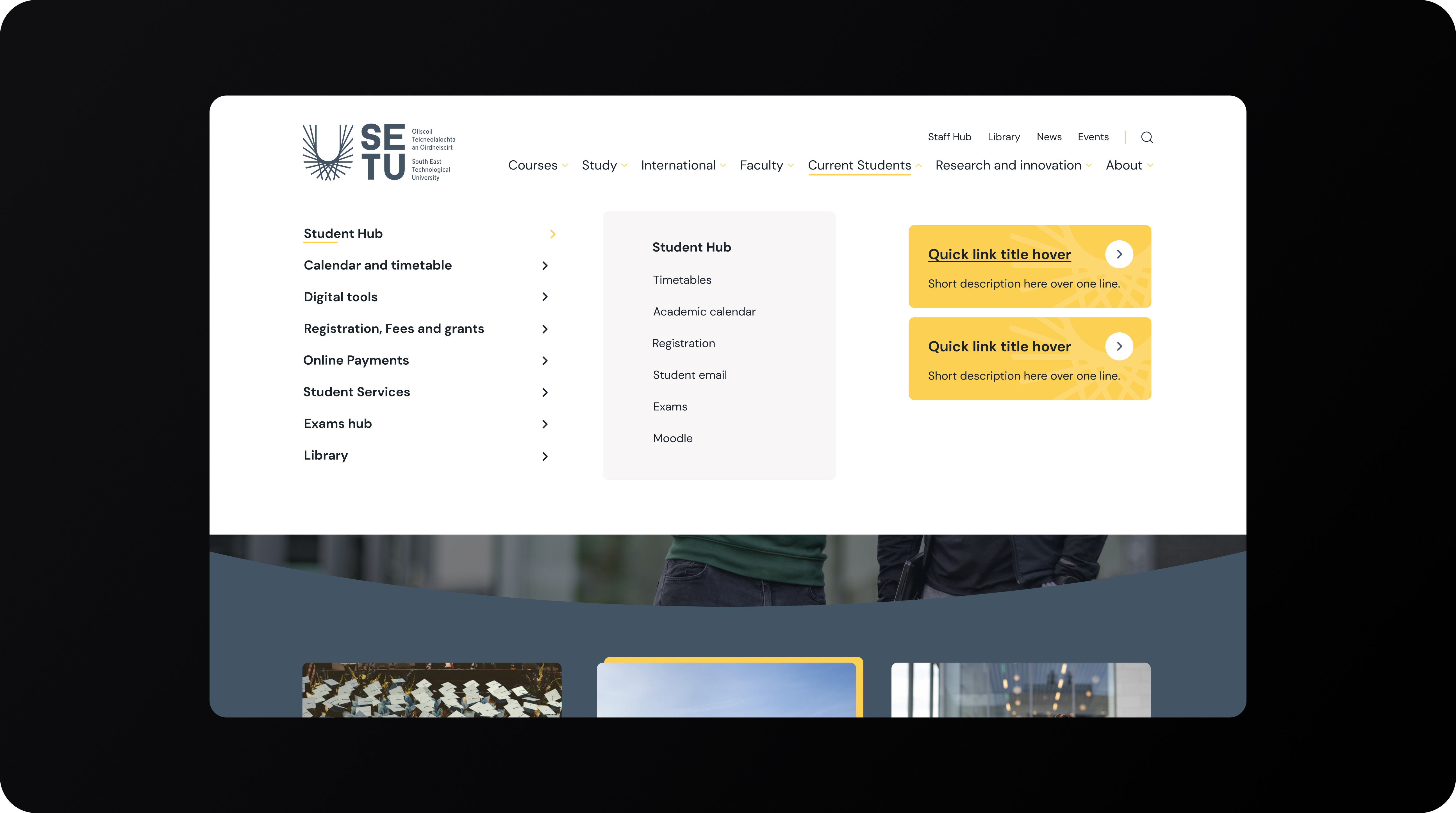
A single-site mental model with predictable top-level areas (Courses, Research, Student Hub, Staff Hub, About). Multiple clear routes to “All courses,” reversible paths when subsites are involved, and simpler labels that reflect real tasks

My approach focused on auditing first and then improving the new MVP product that prioritised key value adding features and usability.

  1. Discovery – Identified usability issues and accessibility barriers within the original Microsoft prototype.

  2. Design thinking – Defined key users and goals through founder workshops, resulting in three proto-personas.

  3. Wireframing & UX design – Developed responsive layouts for desktop, tablet, and pitch-side use.

  4. UI design – Built a dark-mode interface optimised for clarity, accessibility, and data visualisation.

Design solutution

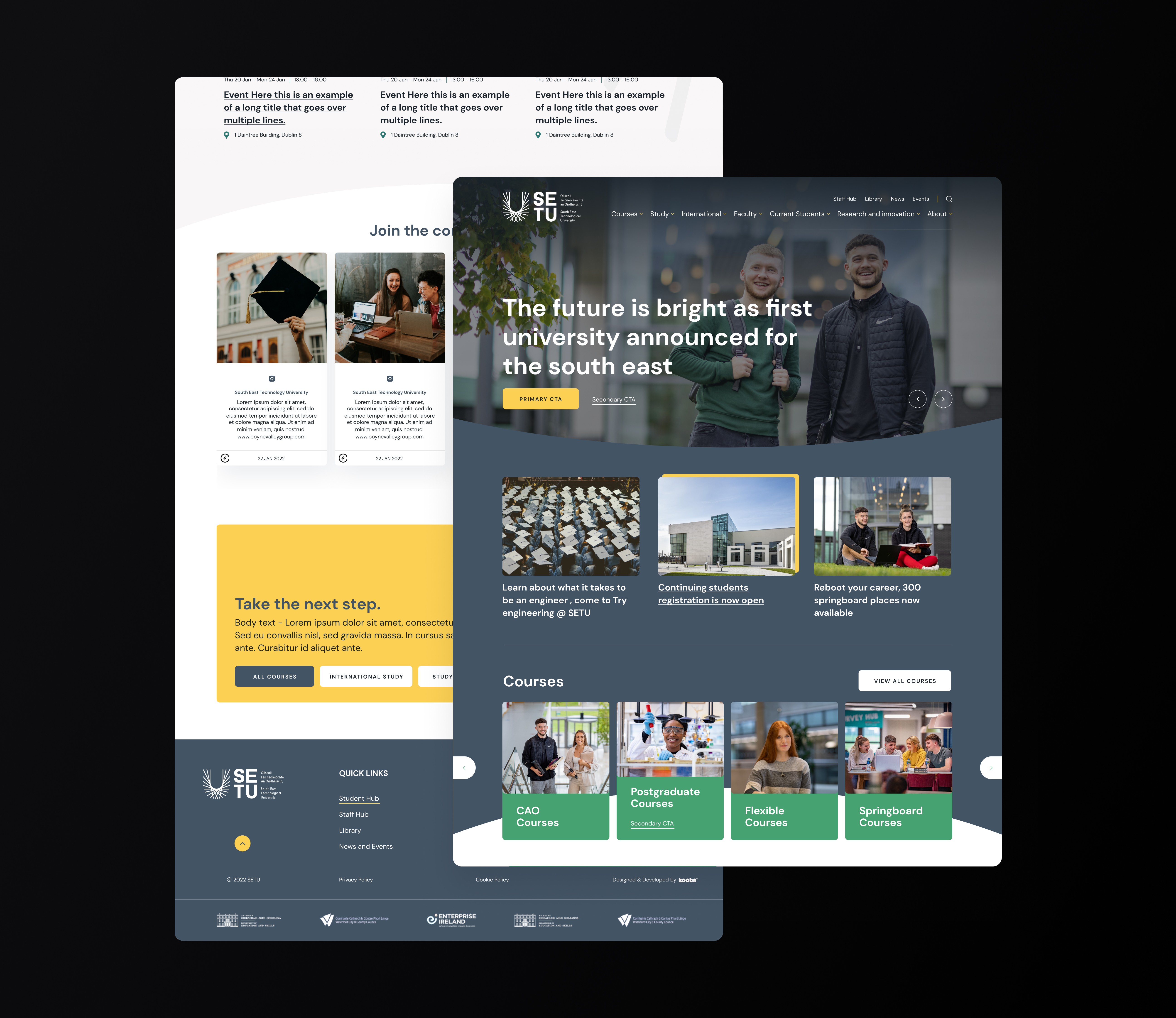
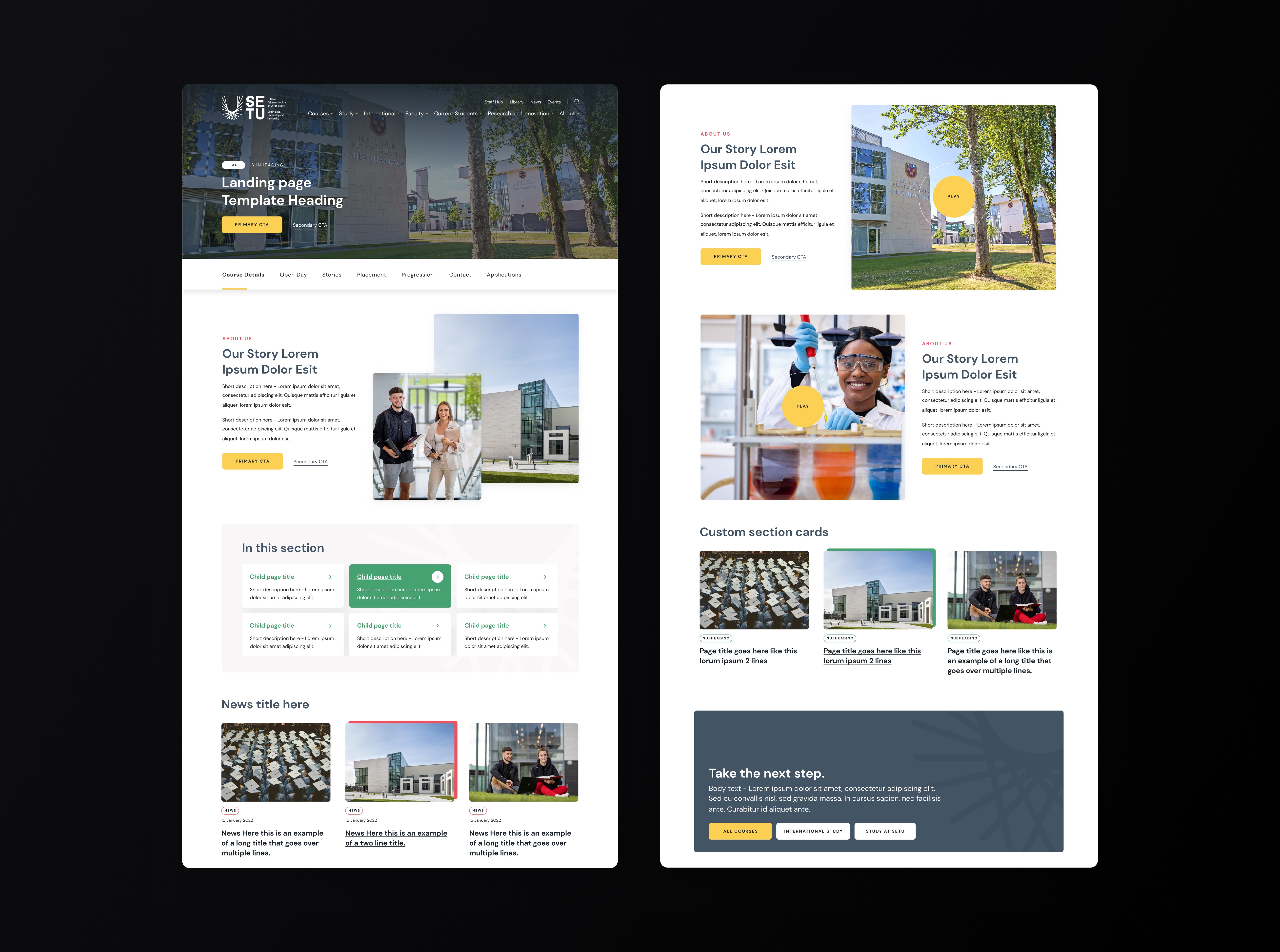
The final wireframes and flows worked out in UX were brought into UI, where the existing SETU website’s styles were rolled out and the brand applied to the wireframes. All UI work was completed by the UI project team, but is included below to demonstrate the key elements of the design, at it's highest fidelity. The design focused on two main key solution areas for the website:


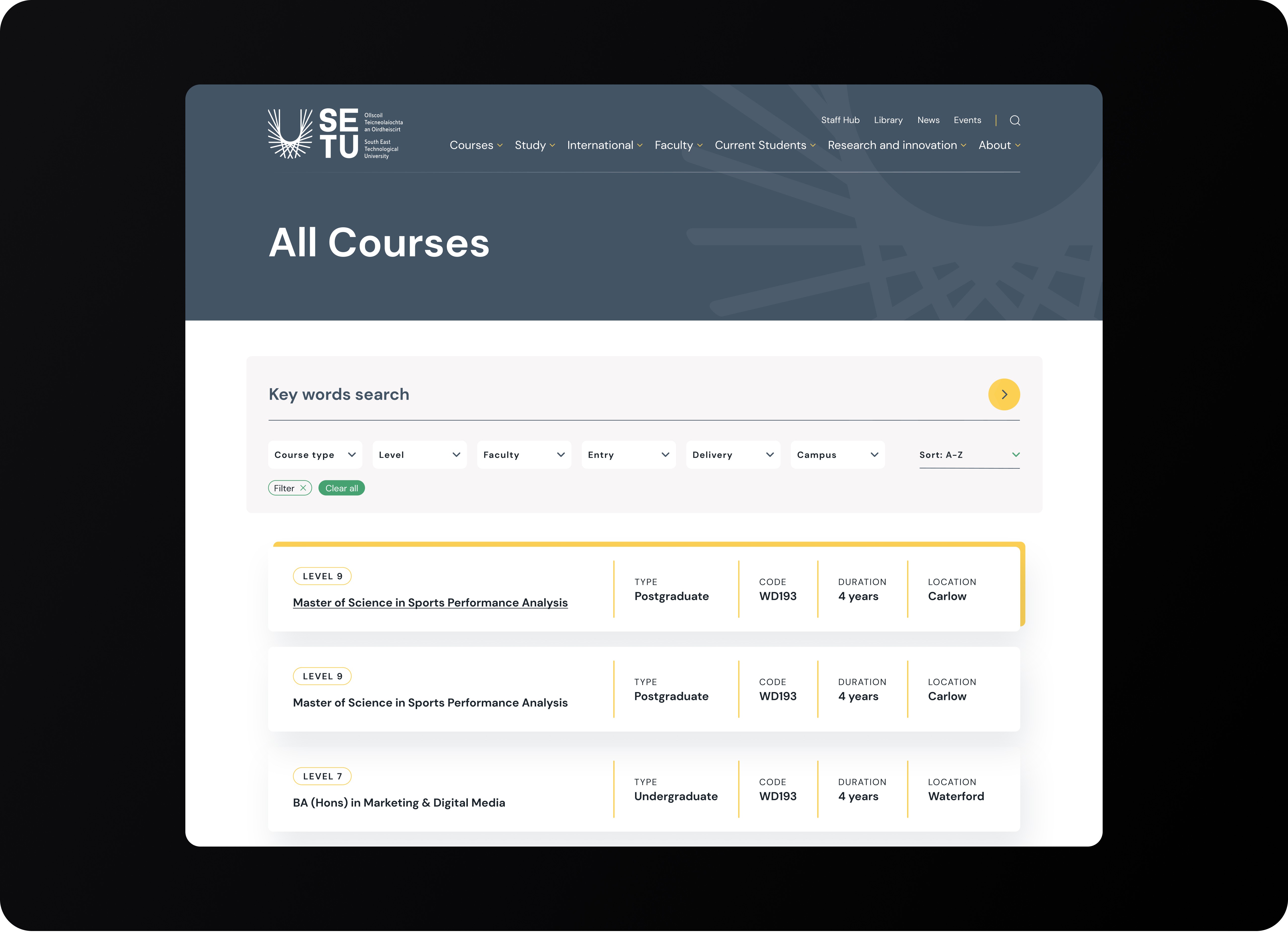
Course discovery

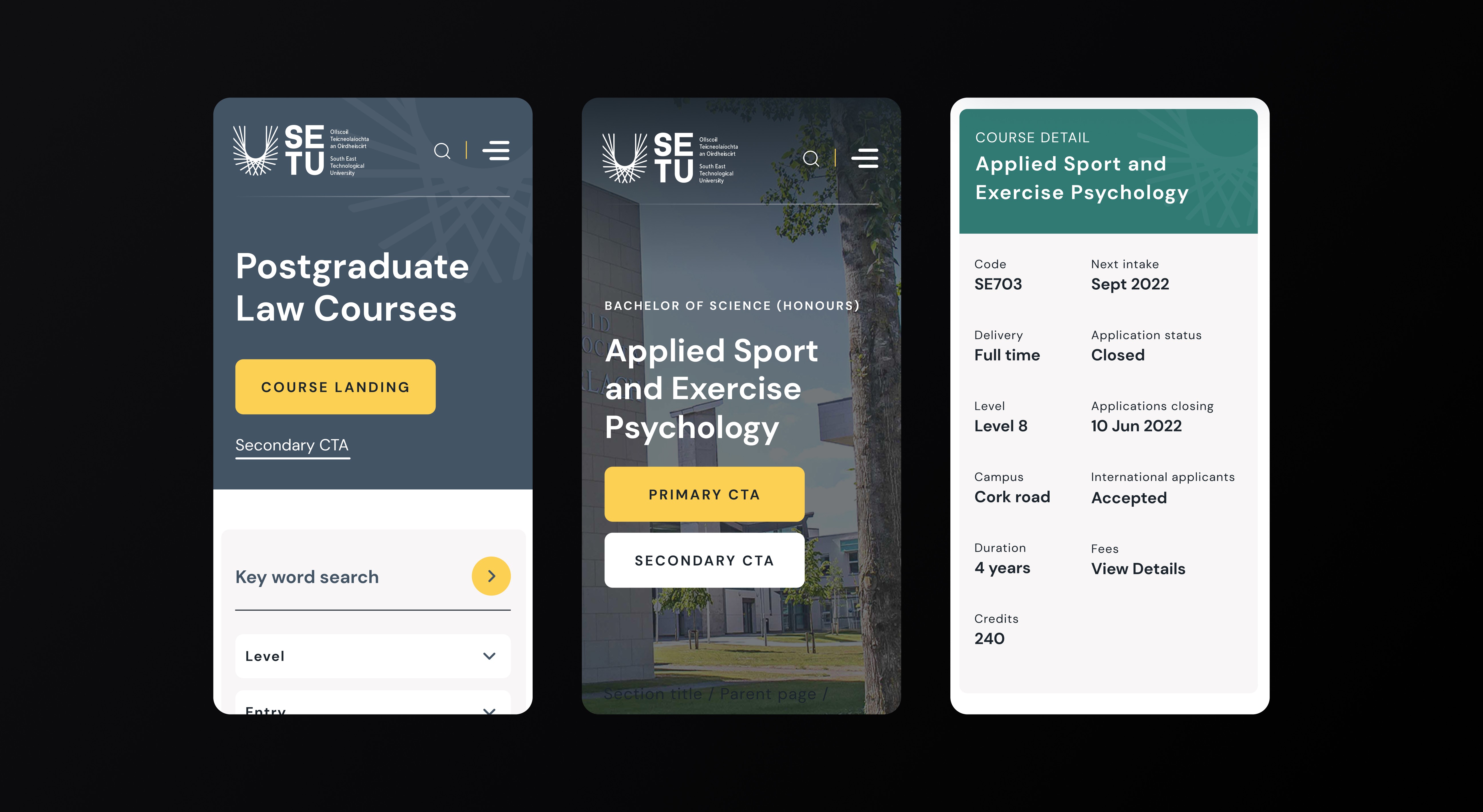
Get users to a scannable list quickly. Course cards surface level, location and mode; filters never drown the content. On detail pages, persuade with stories/outcomes and make Apply / Talk to us obvious.

Student & Staff Hubs

Task-oriented hubs for timetables, calendars, online tools and quick links—designed for repeat use to reduce nav bloat and time-to-task.

My approach focused on auditing first and then improving the new MVP product that prioritised key value adding features and usability.

  1. Discovery – Identified usability issues and accessibility barriers within the original Microsoft prototype.

  2. Design thinking – Defined key users and goals through founder workshops, resulting in three proto-personas.

  3. Wireframing & UX design – Developed responsive layouts for desktop, tablet, and pitch-side use.

  4. UI design – Built a dark-mode interface optimised for clarity, accessibility, and data visualisation.

Other projects

Projects

Want to see more or like to connect?

Want to see more or like to connect?