Cruisemaker

Cruisemaker

UX & UI Design

Website

2024

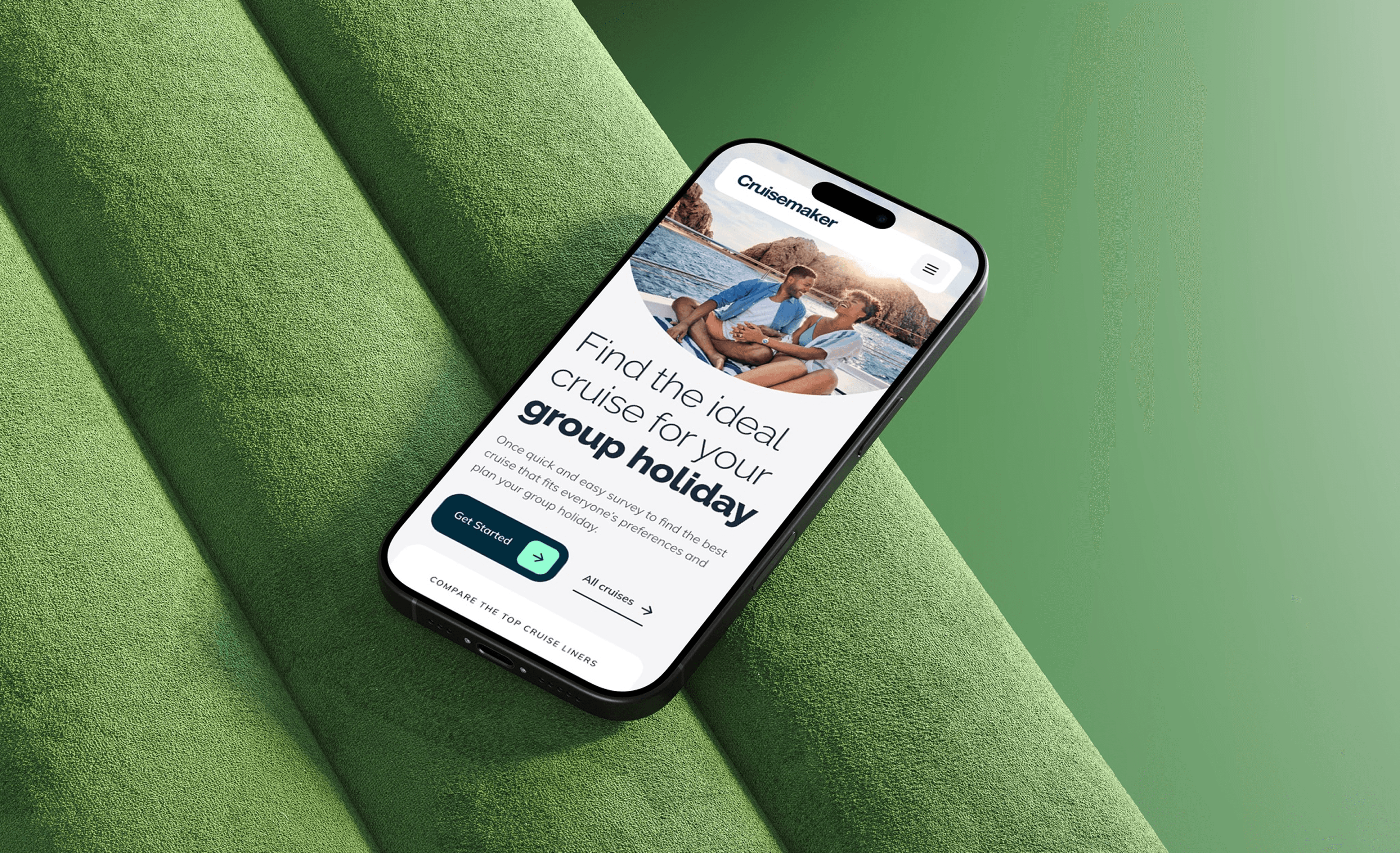
Cruisemaker helps groups agree on a cruise without long chats. I designed a lean MVP: a clear landing, one-page survey, and shareable results that lead to fast decisions.
Process

My approach was to shape a lean MVP that captured group preferences once and returned best-match results with minimal admin.

  1. IA and key journeys mapped to keep one clear path to a decision

  2. Low-fi wireframes (desktop & mobile) to validate clarity and progression

  3. Final UI produced with consistent components and specs across breakpoints

My approach focused on auditing first and then improving the new MVP product that prioritised key value adding features and usability.

  1. Discovery – Identified usability issues and accessibility barriers within the original Microsoft prototype.

  2. Design thinking – Defined key users and goals through founder workshops, resulting in three proto-personas.

  3. Wireframing & UX design – Developed responsive layouts for desktop, tablet, and pitch-side use.

  4. UI design – Built a dark-mode interface optimised for clarity, accessibility, and data visualisation.

My approach was to shape a lean MVP that captured group preferences once and returned best-match results with minimal admin.

  1. IA and key journeys mapped to keep one clear path to a decision

  2. Low-fi wireframes (desktop & mobile) to validate clarity and progression

  3. Final UI produced with consistent components and specs across breakpoints

Final product

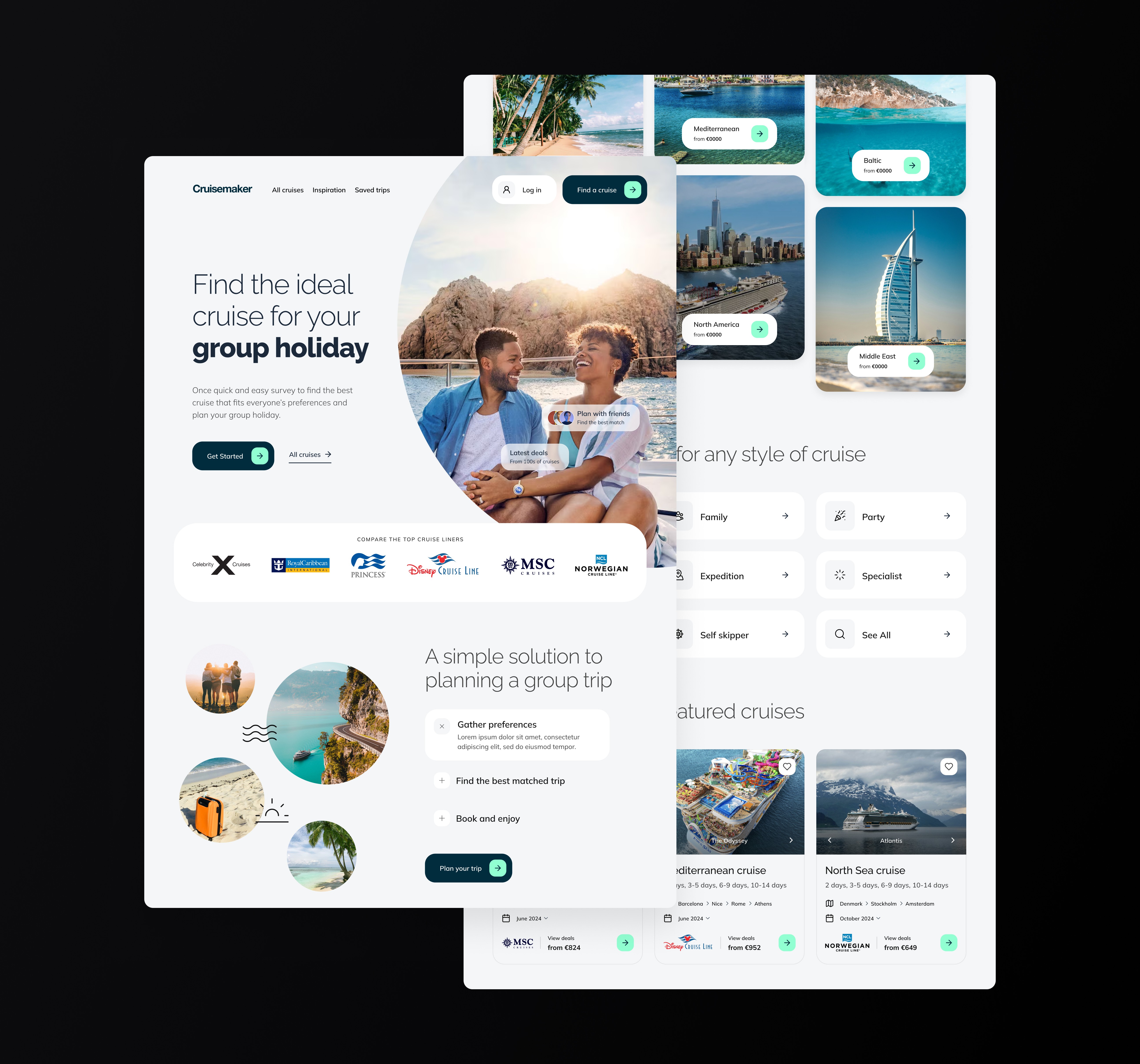
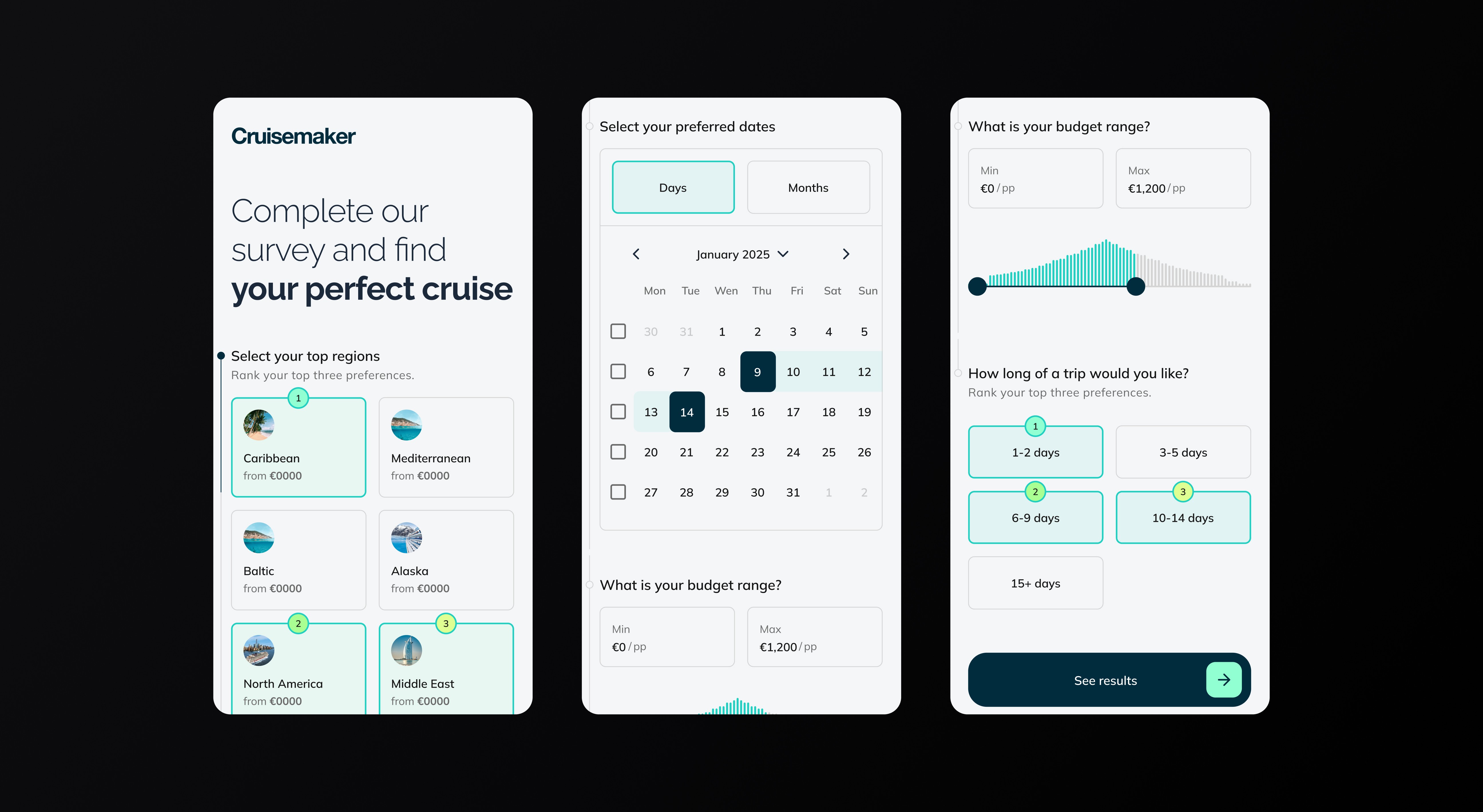
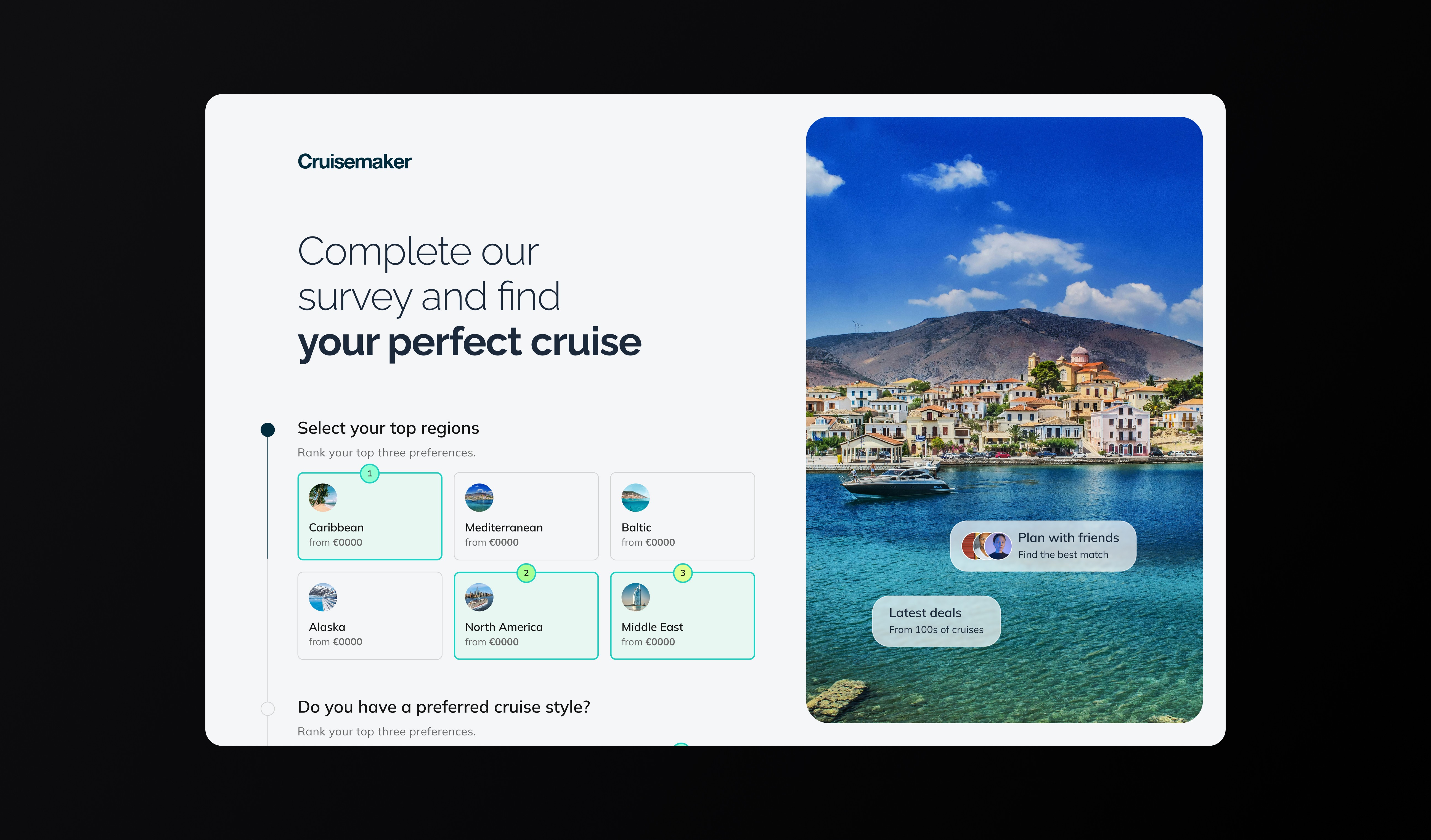
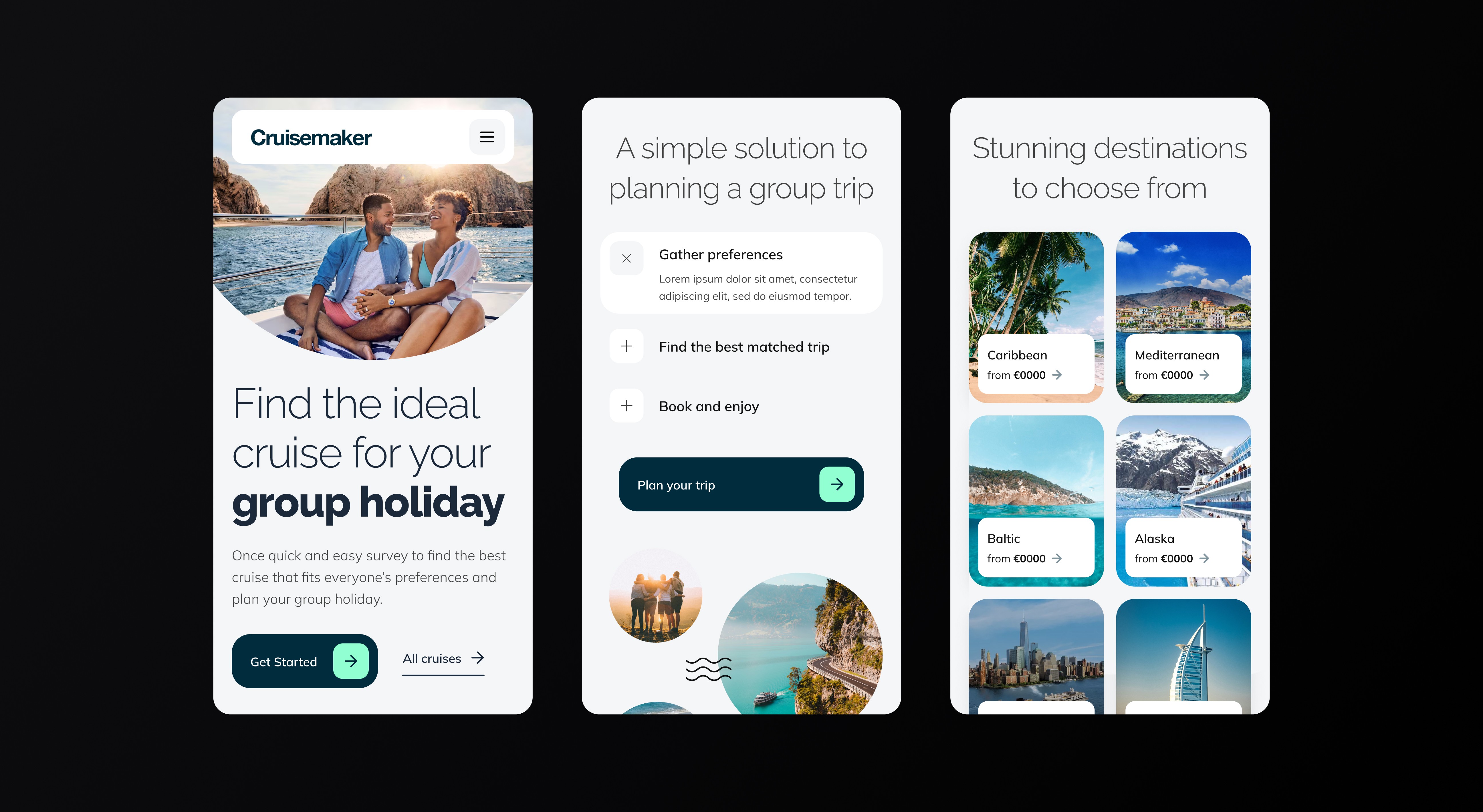
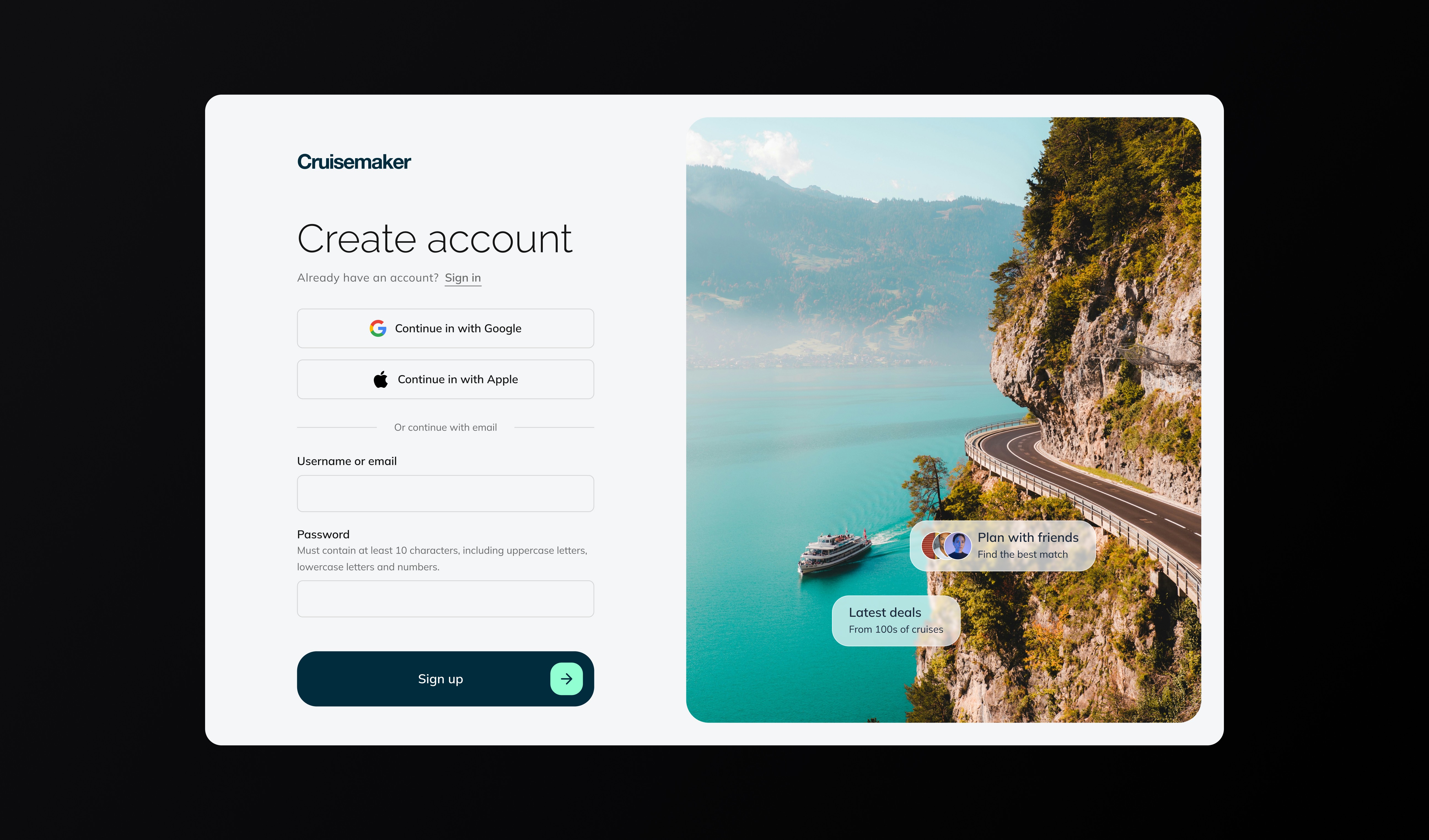
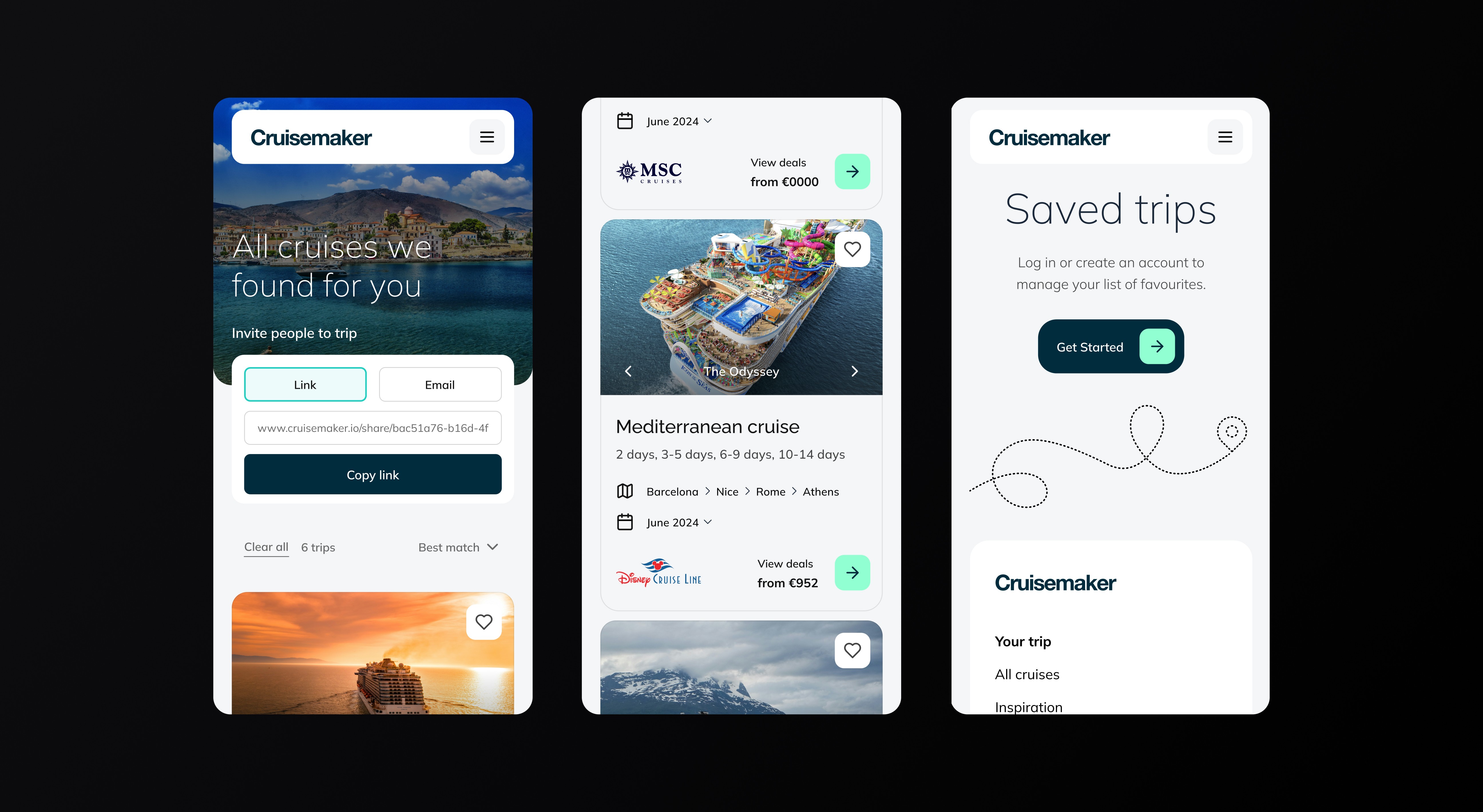
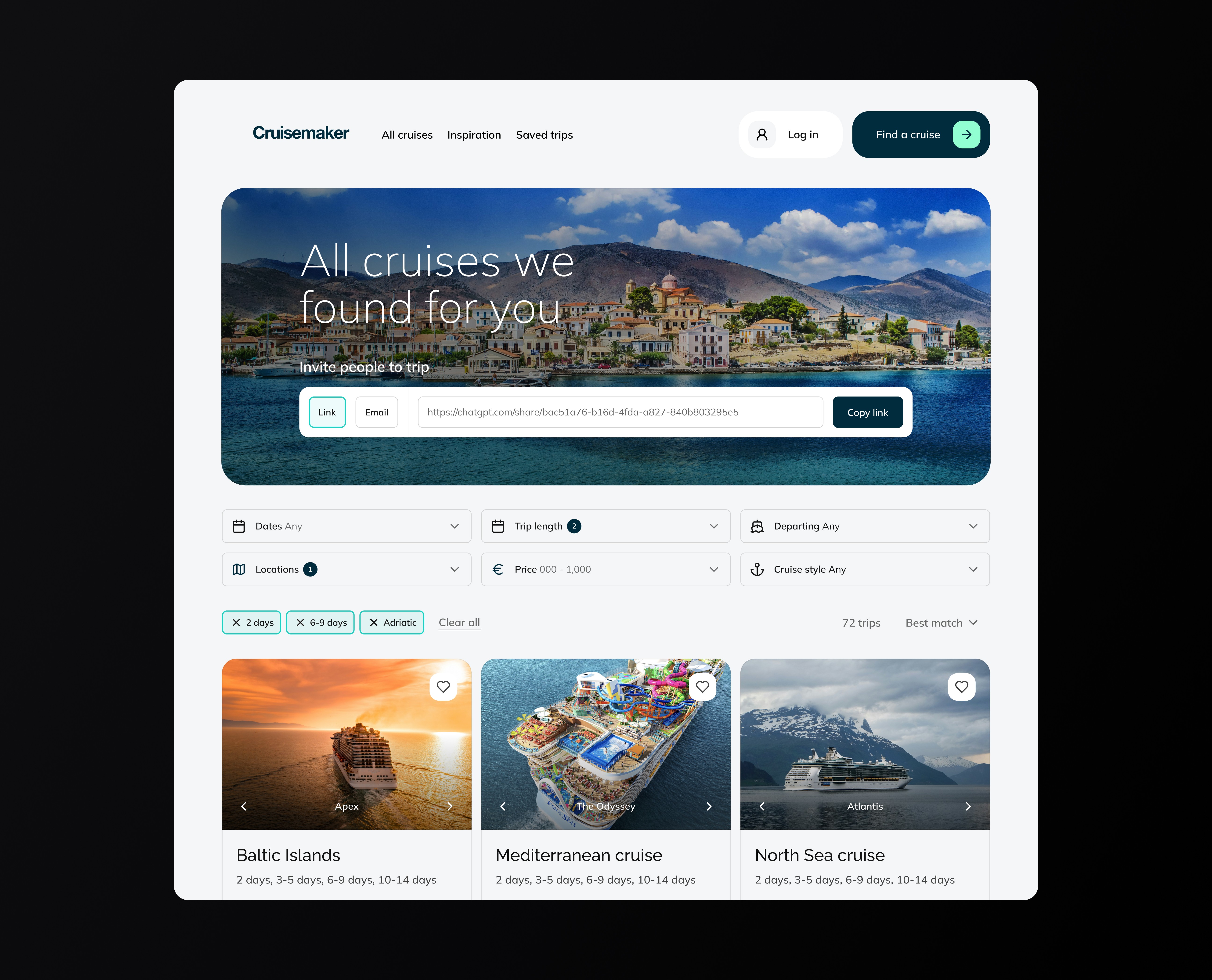
The experience has three simple steps. First, the landing page sets intent with real destinations, cruise styles, and featured deals, then directs you straight into the survey. Next, the preference sheet captures the essentials: regions and styles, dates, budget, and trip length in a quick form. Finally, the results turn that input into a scannable list with best match sorting, easy filters, and a one click share link or email so the group can weigh in fast.

The experience has three simple steps. First, the landing page sets intent with real destinations, cruise styles, and featured deals, then directs you straight into the survey. Next, the preference sheet captures the essentials: regions and styles, dates, budget, and trip length in a quick form. Finally, the results turn that input into a scannable list with best match sorting, easy filters, and a one click share link or email so the group can weigh in fast.

The experience has three simple steps. First, the landing page sets intent with real destinations, cruise styles, and featured deals, then directs you straight into the survey. Next, the preference sheet captures the essentials: regions and styles, dates, budget, and trip length in a quick form. Finally, the results turn that input into a scannable list with best match sorting, easy filters, and a one click share link or email so the group can weigh in fast.

The challenge

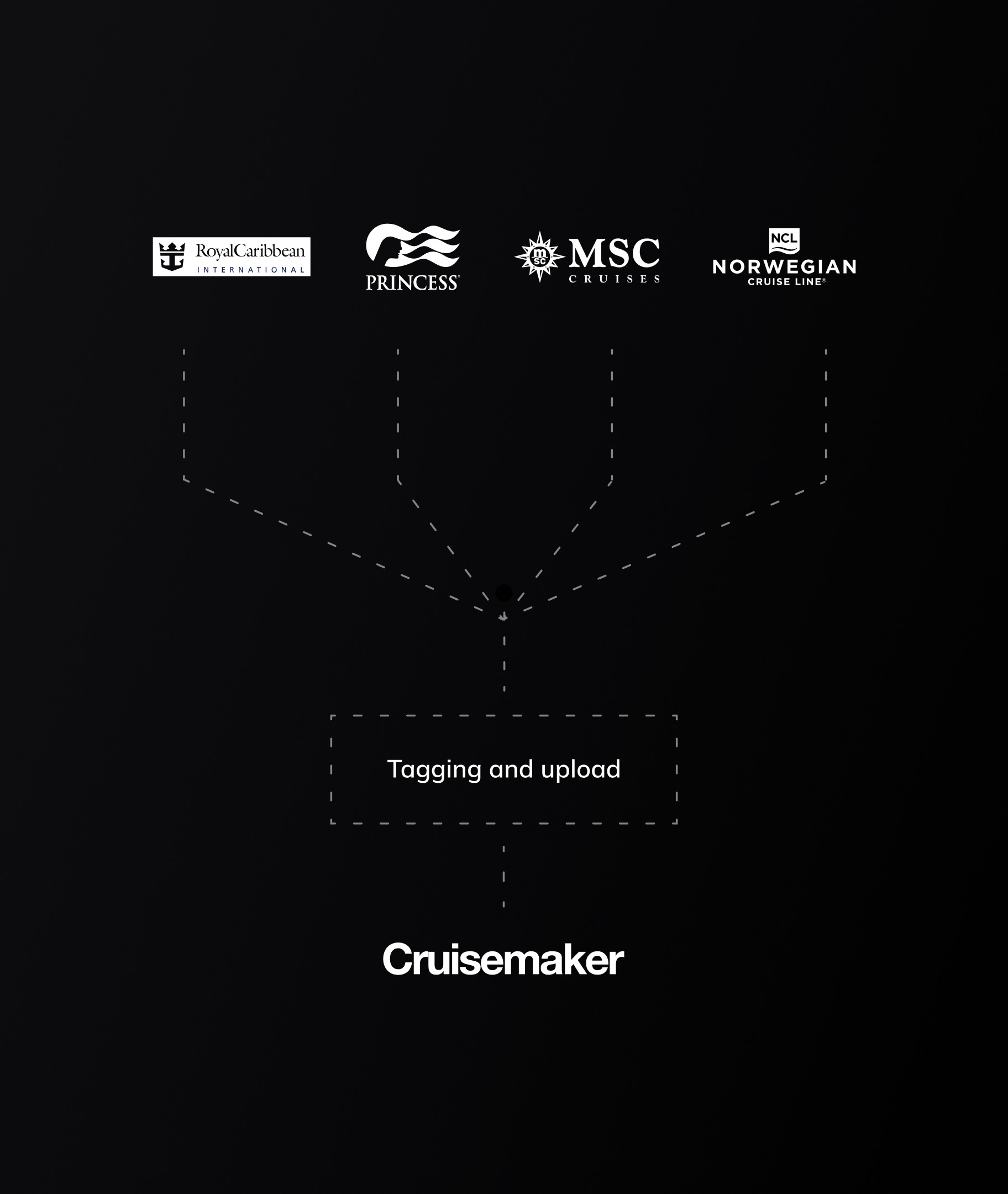
Group planning stalls in chats and spreadsheets. We needed to build trust quickly, capture preferences once, and surface a credible best match. I kept the system simple so a small team could run it smoothly: data can be ingested into a few core fields, filters and best match use straightforward derived info, and small trust cues like from-price and freshness badges set expectations.

Wireframes
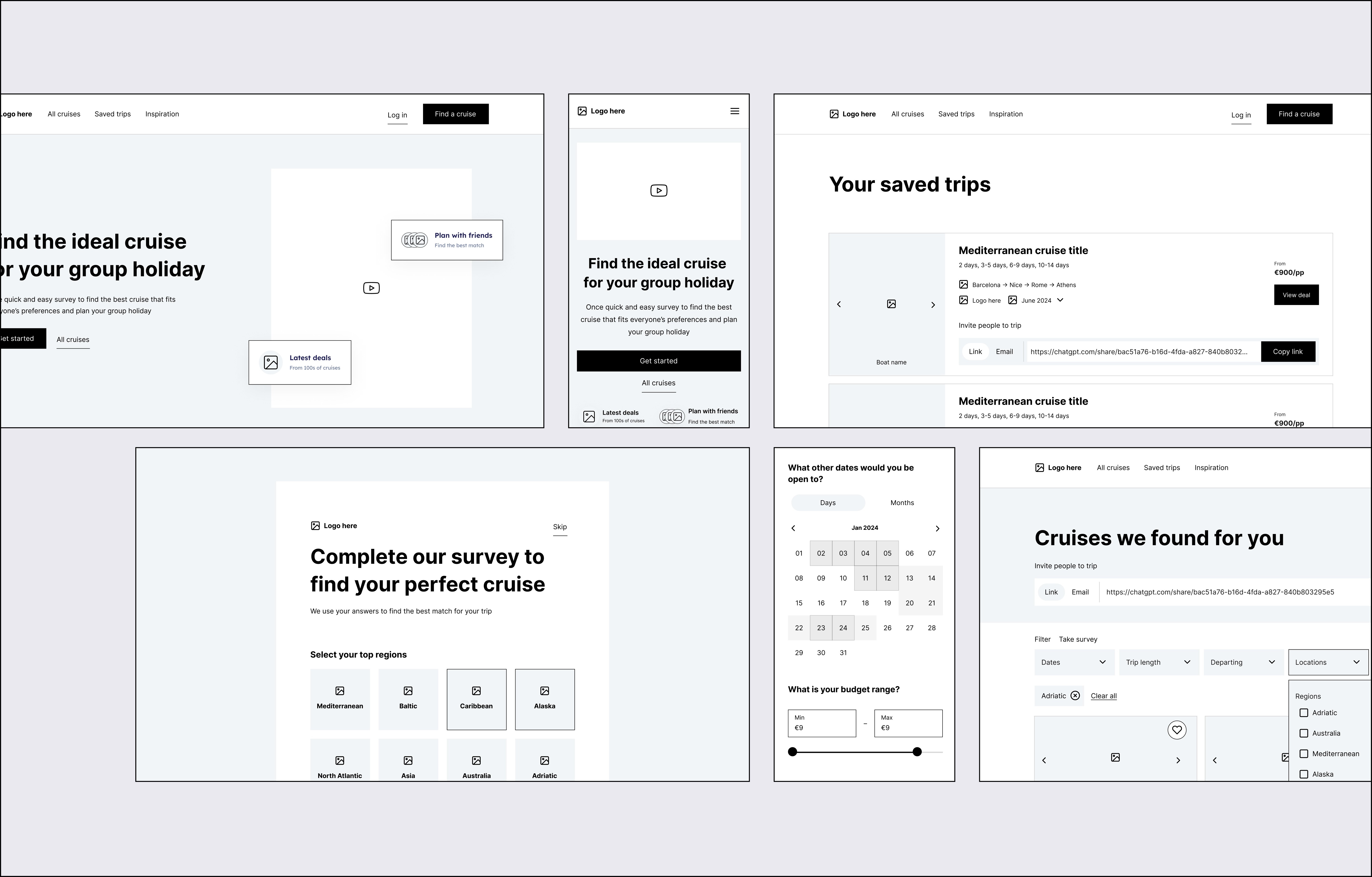
The wireframe pass mapped the end-to-end journey: landing, a two-step survey, results with a visible best-match and filter bar, then invite and save. The emphasis was on progressive disclosure and a single path to decision, with desktop and mobile patterns explored side by side.

My approach focused on auditing first and then improving the new MVP product that prioritised key value adding features and usability.

  1. Discovery – Identified usability issues and accessibility barriers within the original Microsoft prototype.

  2. Design thinking – Defined key users and goals through founder workshops, resulting in three proto-personas.

  3. Wireframing & UX design – Developed responsive layouts for desktop, tablet, and pitch-side use.

  4. UI design – Built a dark-mode interface optimised for clarity, accessibility, and data visualisation.

Final visual design

The interface is designed to feel light and decisive. One call to action moves visitors into a quick survey to rank regions and styles, pick dates, set a budget, and choose trip length. Results are scannable with Best match and simple filters. Sharing is instant by link or email, and saved trips keep momentum while people decide.

My approach focused on auditing first and then improving the new MVP product that prioritised key value adding features and usability.

  1. Discovery – Identified usability issues and accessibility barriers within the original Microsoft prototype.

  2. Design thinking – Defined key users and goals through founder workshops, resulting in three proto-personas.

  3. Wireframing & UX design – Developed responsive layouts for desktop, tablet, and pitch-side use.

  4. UI design – Built a dark-mode interface optimised for clarity, accessibility, and data visualisation.

Outcome

A lean, clickable MVP used for organic outreach and early validation. The low-maintenance catalogue supports bootstrapped growth without adding headcount or manual ops.

My approach focused on auditing first and then improving the new MVP product that prioritised key value adding features and usability.

  1. Discovery – Identified usability issues and accessibility barriers within the original Microsoft prototype.

  2. Design thinking – Defined key users and goals through founder workshops, resulting in three proto-personas.

  3. Wireframing & UX design – Developed responsive layouts for desktop, tablet, and pitch-side use.

  4. UI design – Built a dark-mode interface optimised for clarity, accessibility, and data visualisation.

Other projects

Projects

Want to see more or like to connect?

Want to see more or like to connect?