Sideteams

Sideteams

UX & UI Design

Product

2023

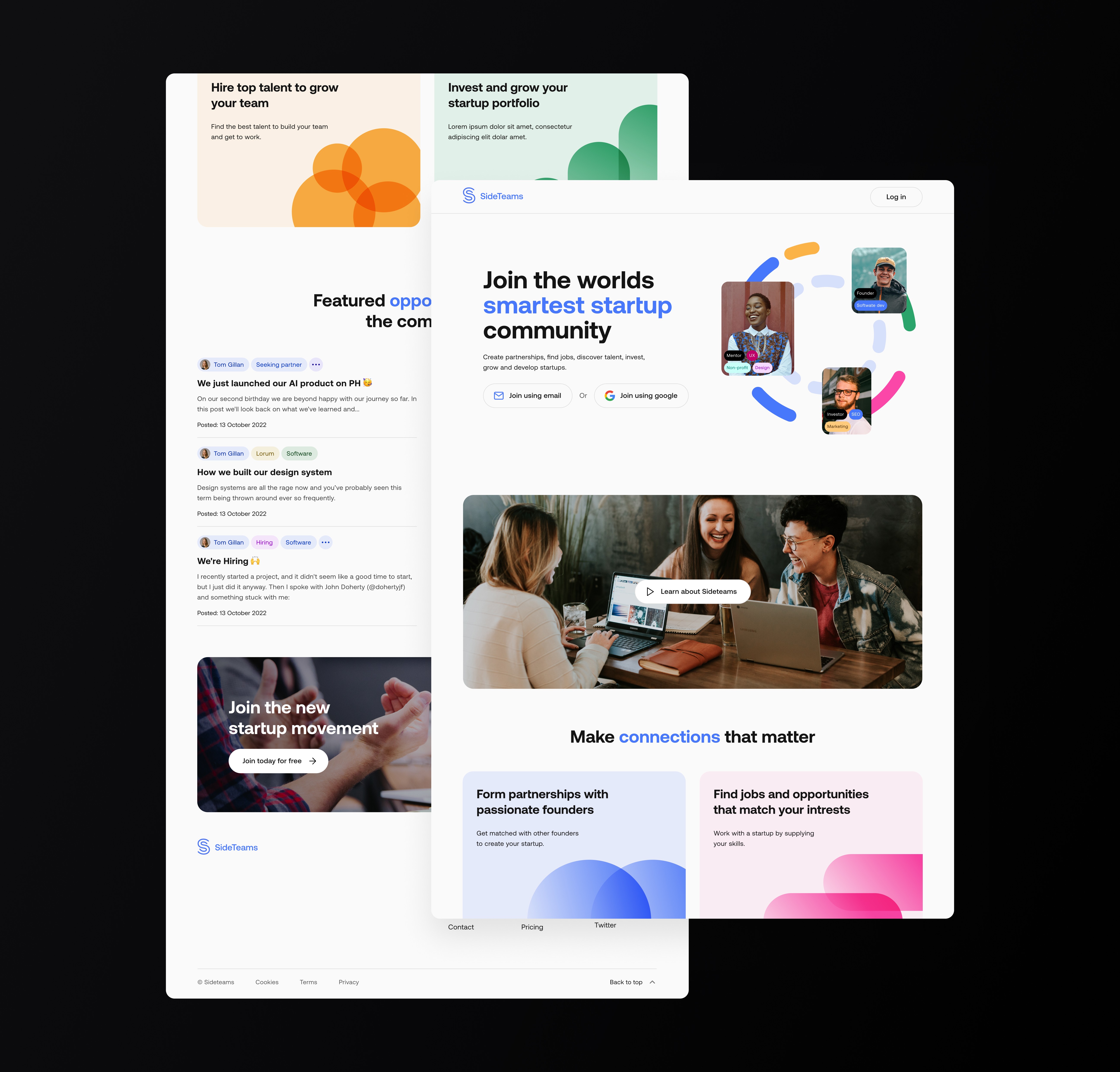
Sideteams connects founders, operators, and investors to form teams, find roles, and share opportunities. I led UX and UI across onboarding, browse, people/teams directories, content, and profile flows—turning insights from analytics and session recordings into a simpler information architecture and a cleaner, more scannable interface.
Process

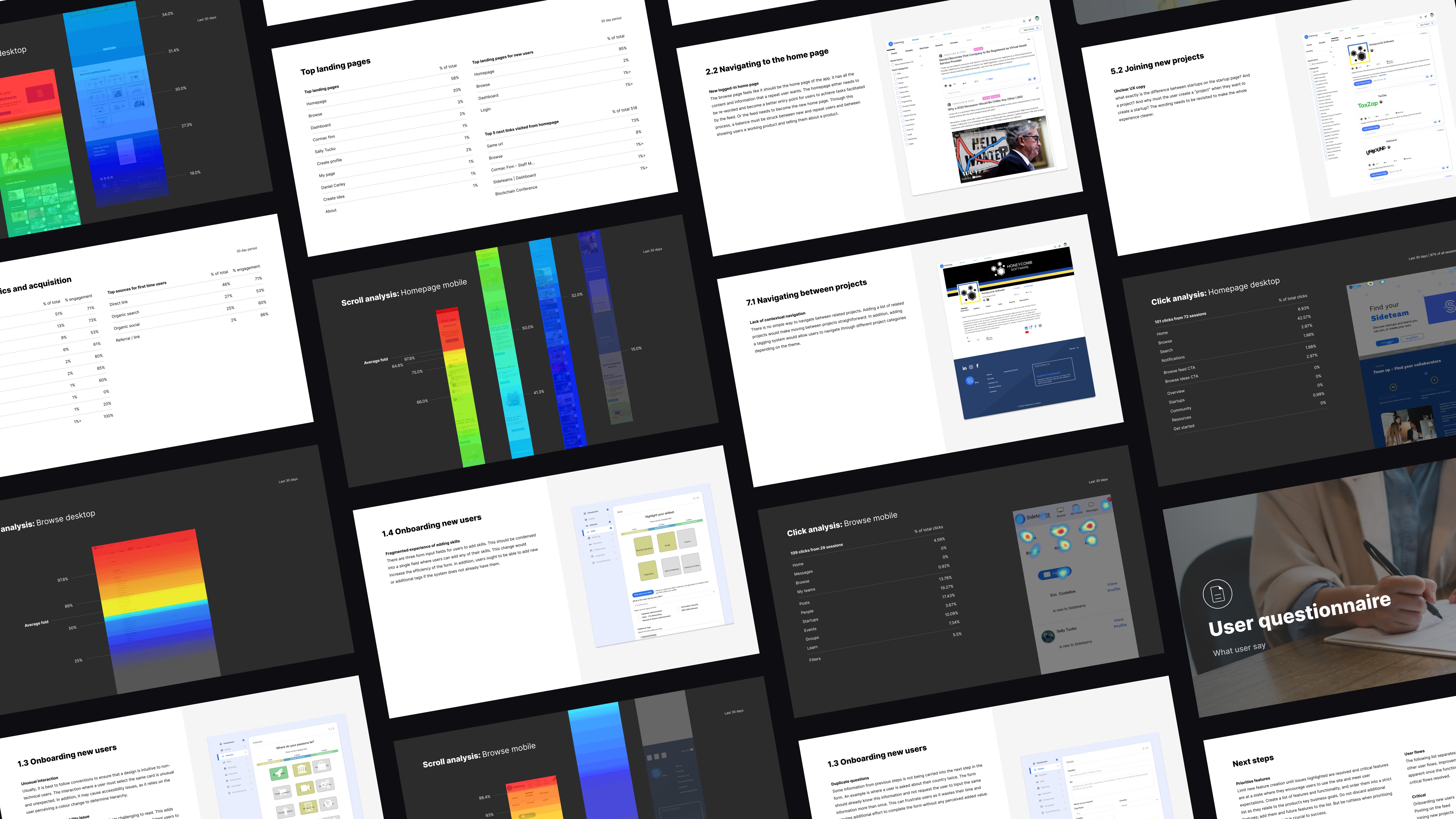
Analytics and Hotjar showed high bounce on Browse, limited scrolling on key pages, and friction in sign-up and content cards. Users often clicked non-interactive images and struggled to progress during onboarding. The site needed clearer hierarchy, fewer dead ends, and a design that worked as well on mobile as desktop.

My approach focused on auditing first and then improving the new MVP product that prioritised key value adding features and usability.

  1. Discovery – Identified usability issues and accessibility barriers within the original Microsoft prototype.

  2. Design thinking – Defined key users and goals through founder workshops, resulting in three proto-personas.

  3. Wireframing & UX design – Developed responsive layouts for desktop, tablet, and pitch-side use.

  4. UI design – Built a dark-mode interface optimised for clarity, accessibility, and data visualisation.

Process

I audited analytics and Hotjar, mapped the flows people used most, and cut the rest. Then I prototyped low-fi layouts to prove card patterns, filter placement, and mobile rhythm before producing the final UI system.
Wireframes

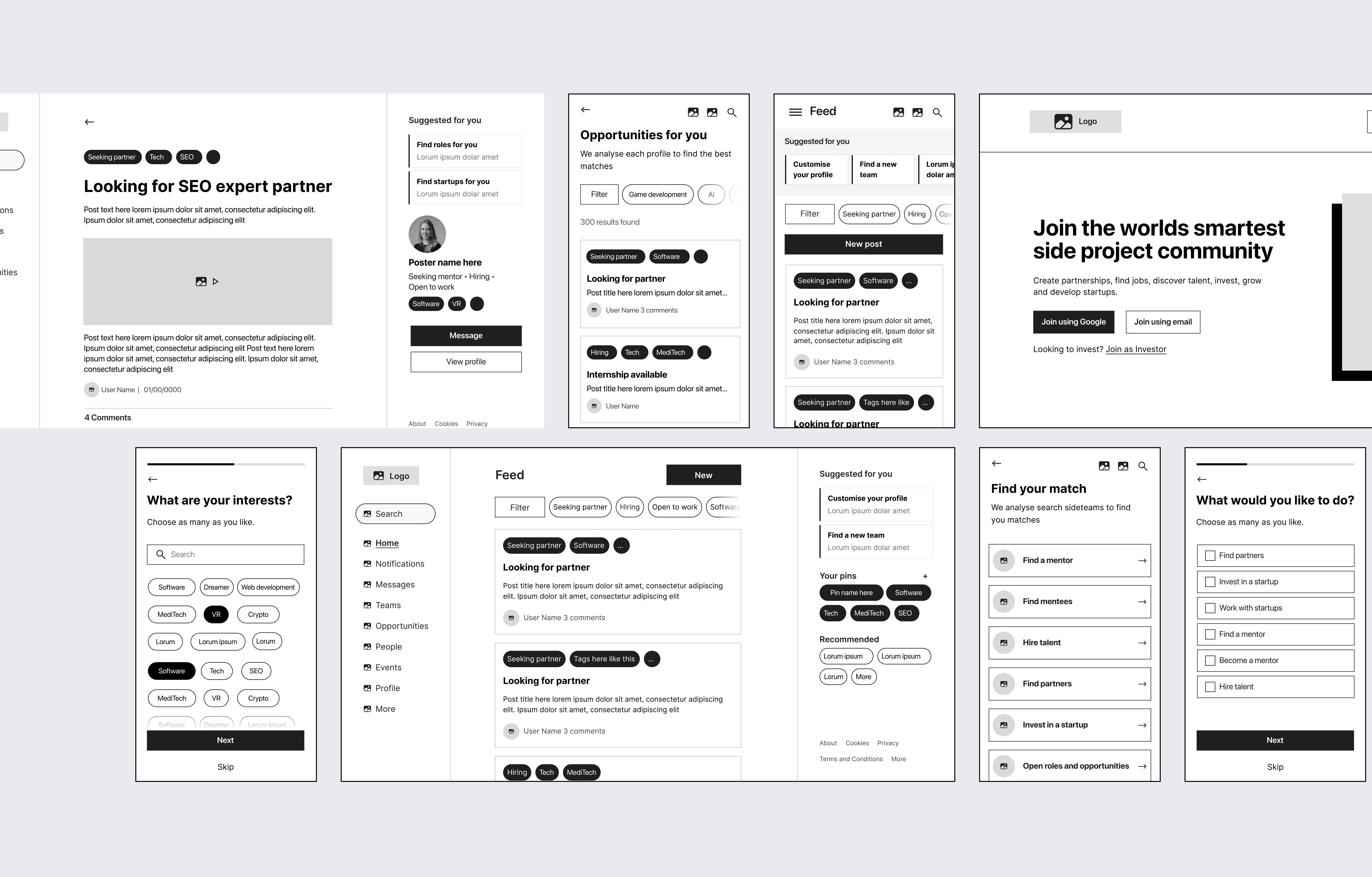
Low-fi screens covered Landing/Join, Browse with tabs and filters, People/Teams/Opportunities directories, Post detail, Startup and Person profiles, plus a trimmed onboarding. The focus was on scannable lists, clear CTAs, and fewer modals.

My approach focused on auditing first and then improving the new MVP product that prioritised key value adding features and usability.

  1. Discovery – Identified usability issues and accessibility barriers within the original Microsoft prototype.

  2. Design thinking – Defined key users and goals through founder workshops, resulting in three proto-personas.

  3. Wireframing & UX design – Developed responsive layouts for desktop, tablet, and pitch-side use.

  4. UI design – Built a dark-mode interface optimised for clarity, accessibility, and data visualisation.

Key Insight

People do not want to “browse.” They want to find the right person or role now. If the first screen does not make the network legible and actionable in under ten seconds, intent collapses and they leave.
UI direction
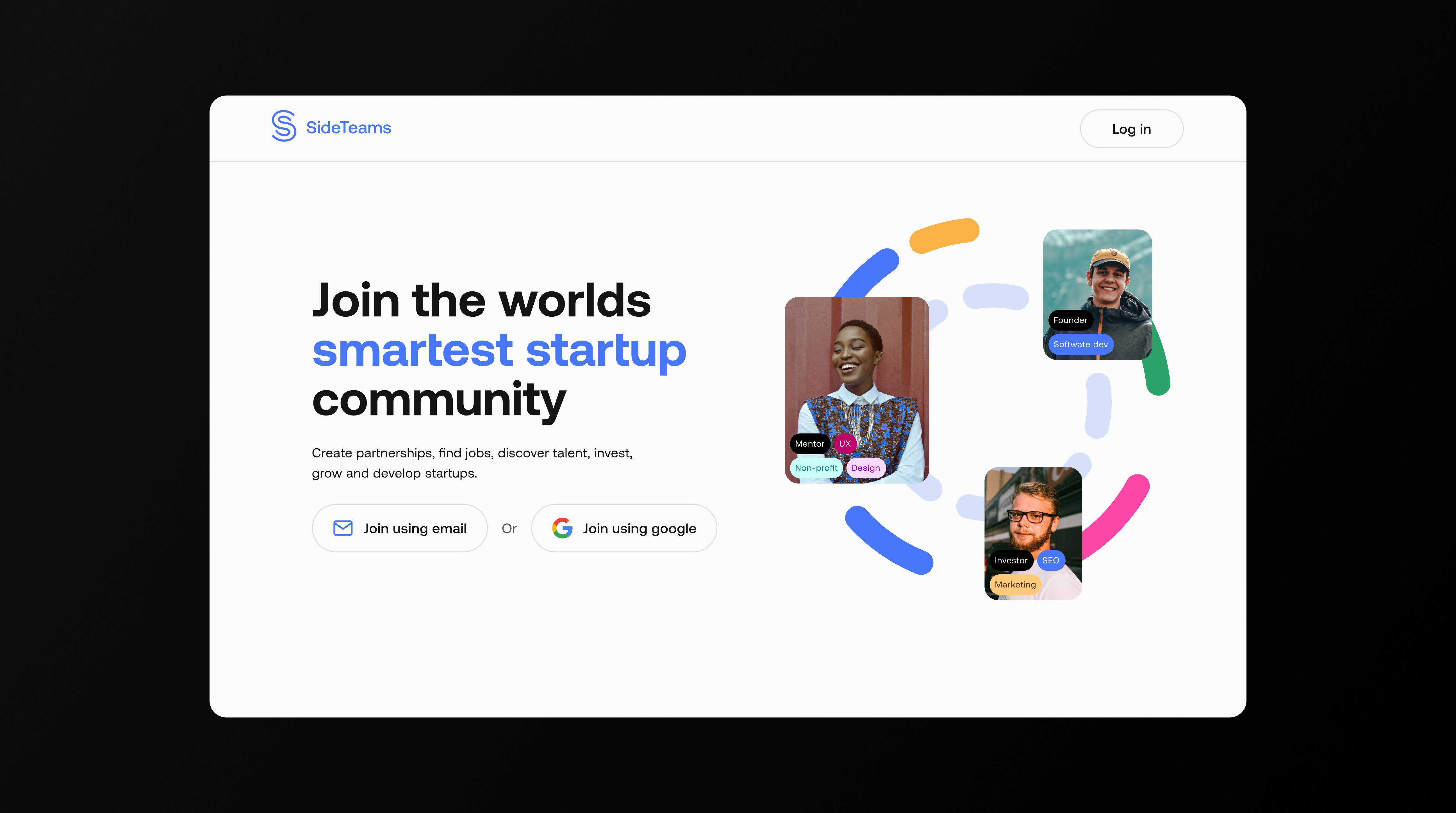
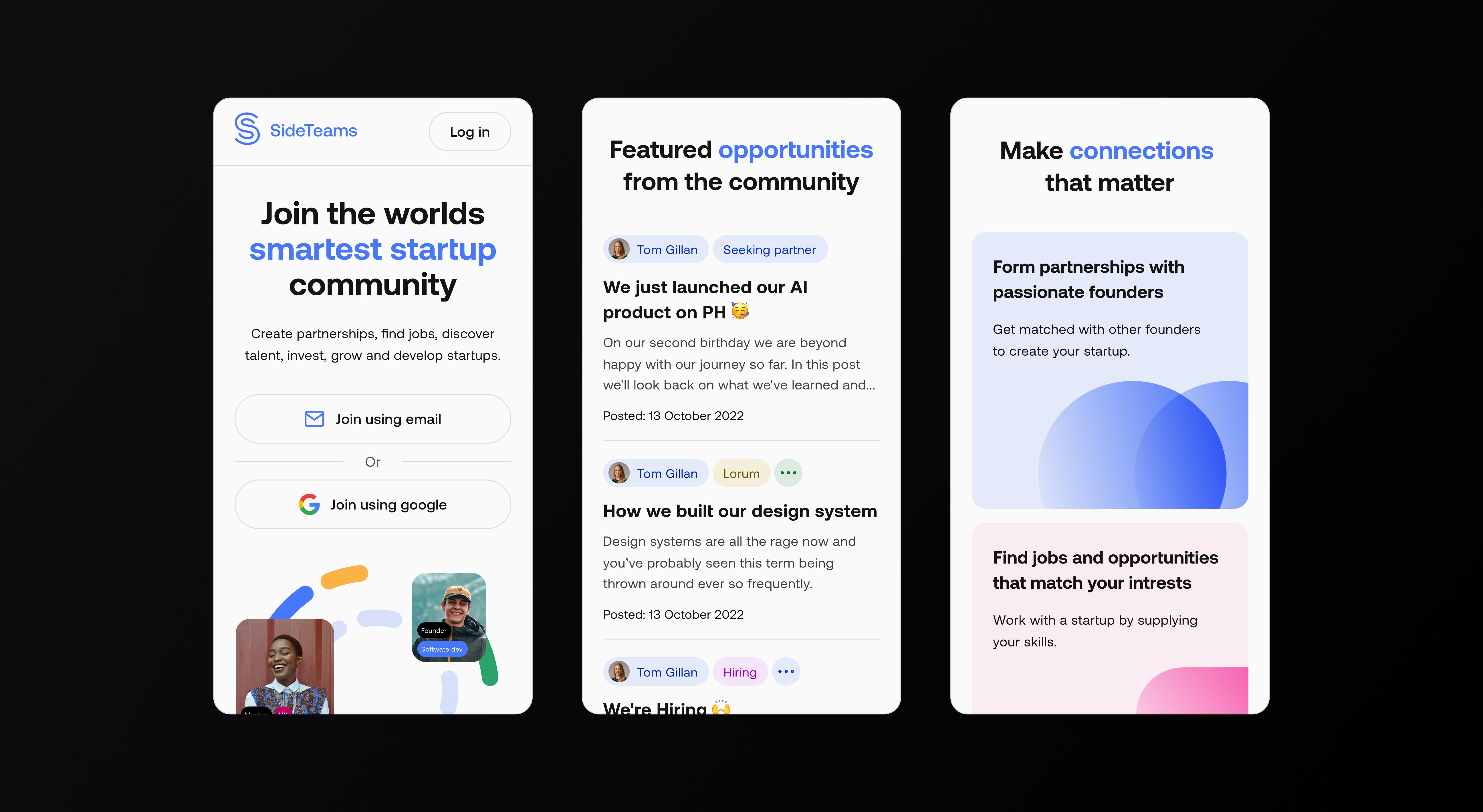
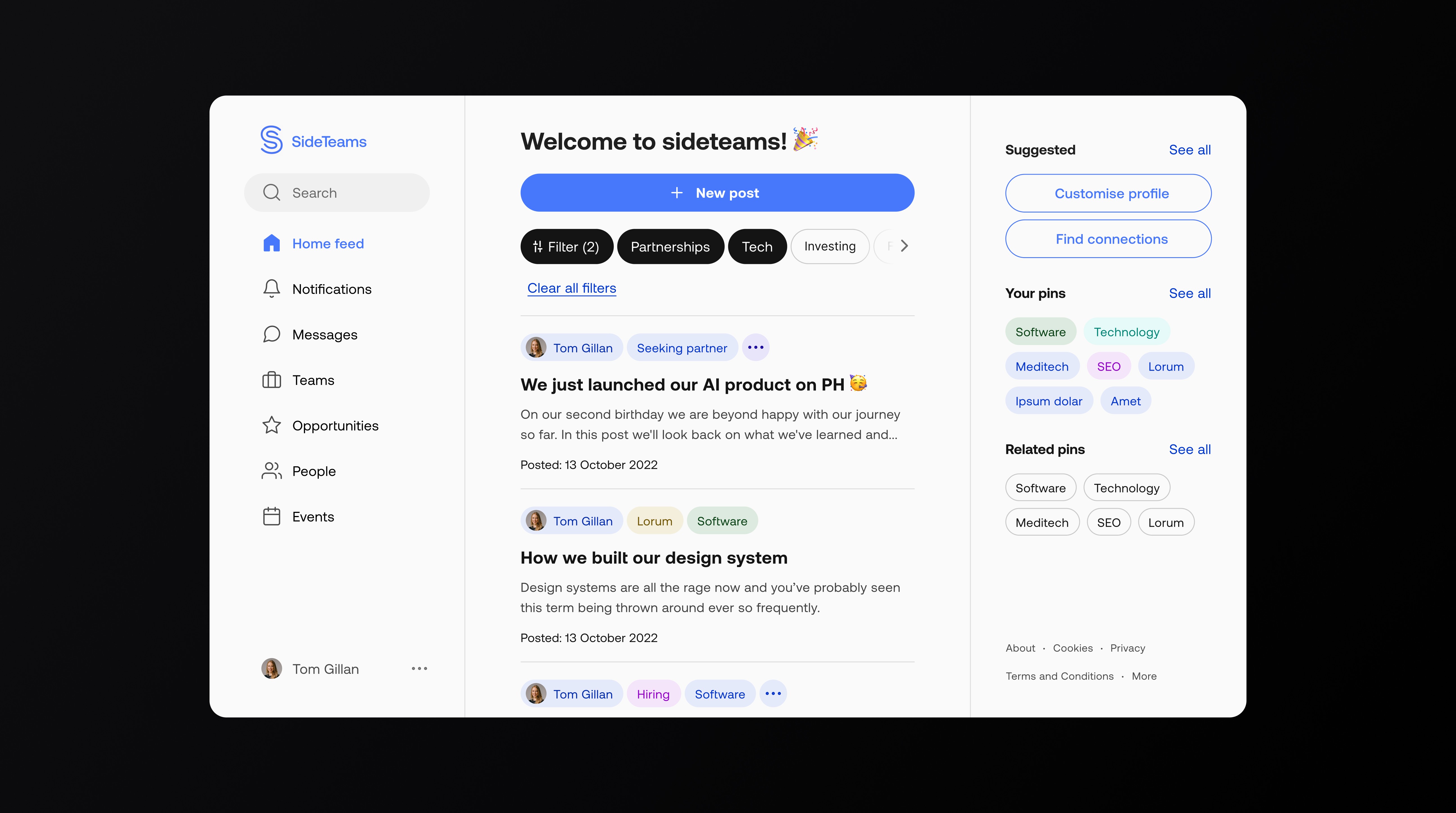
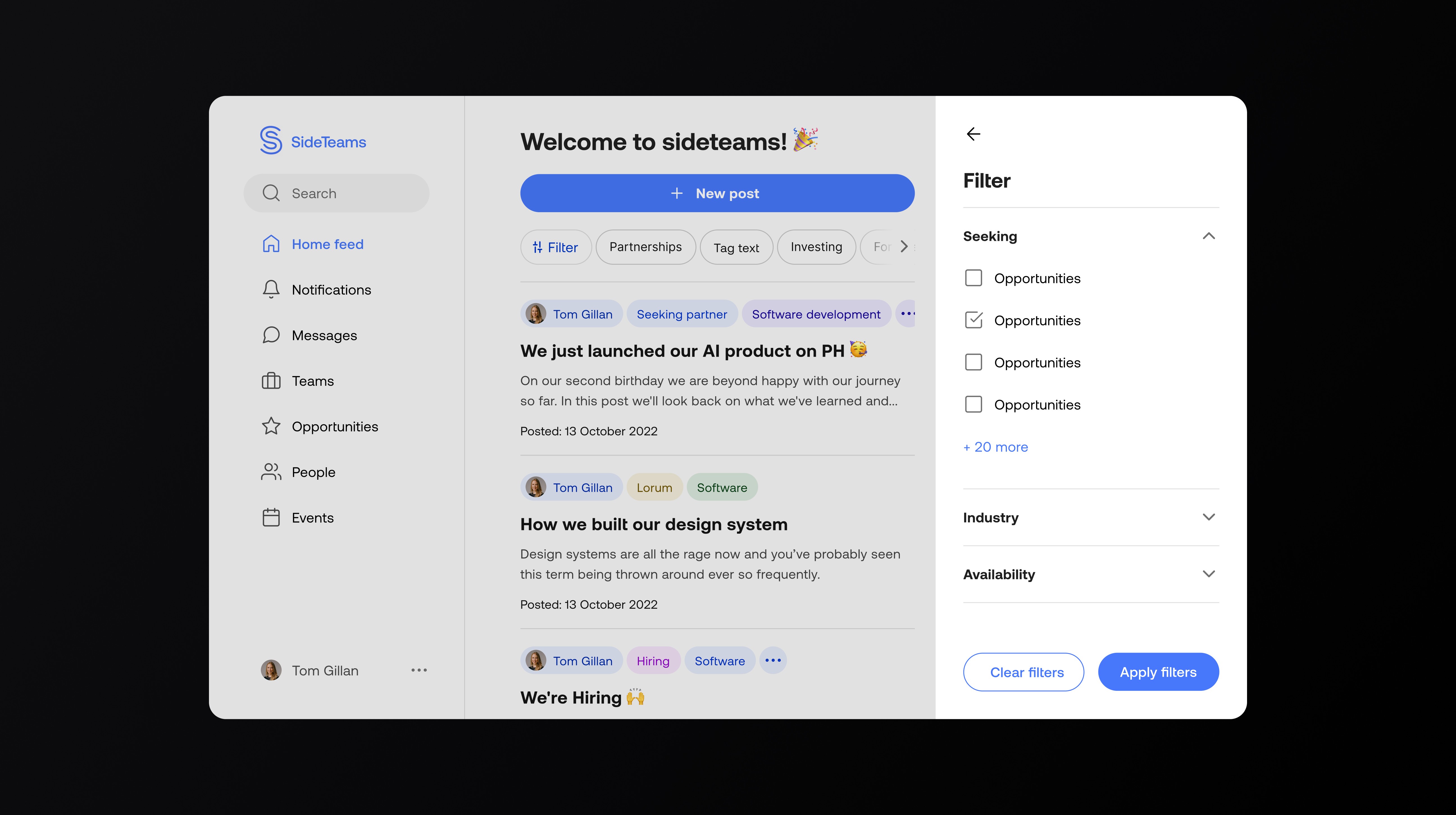
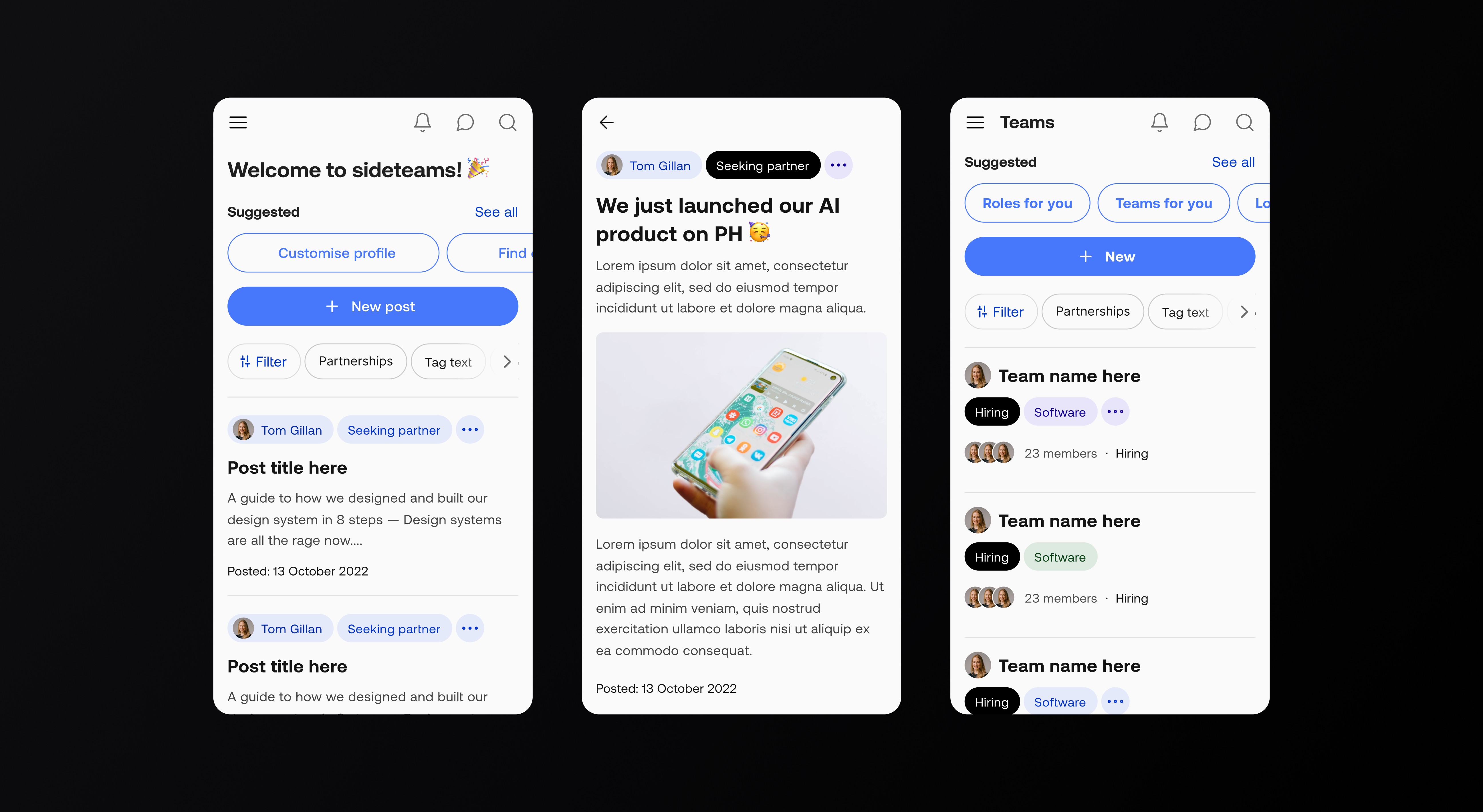
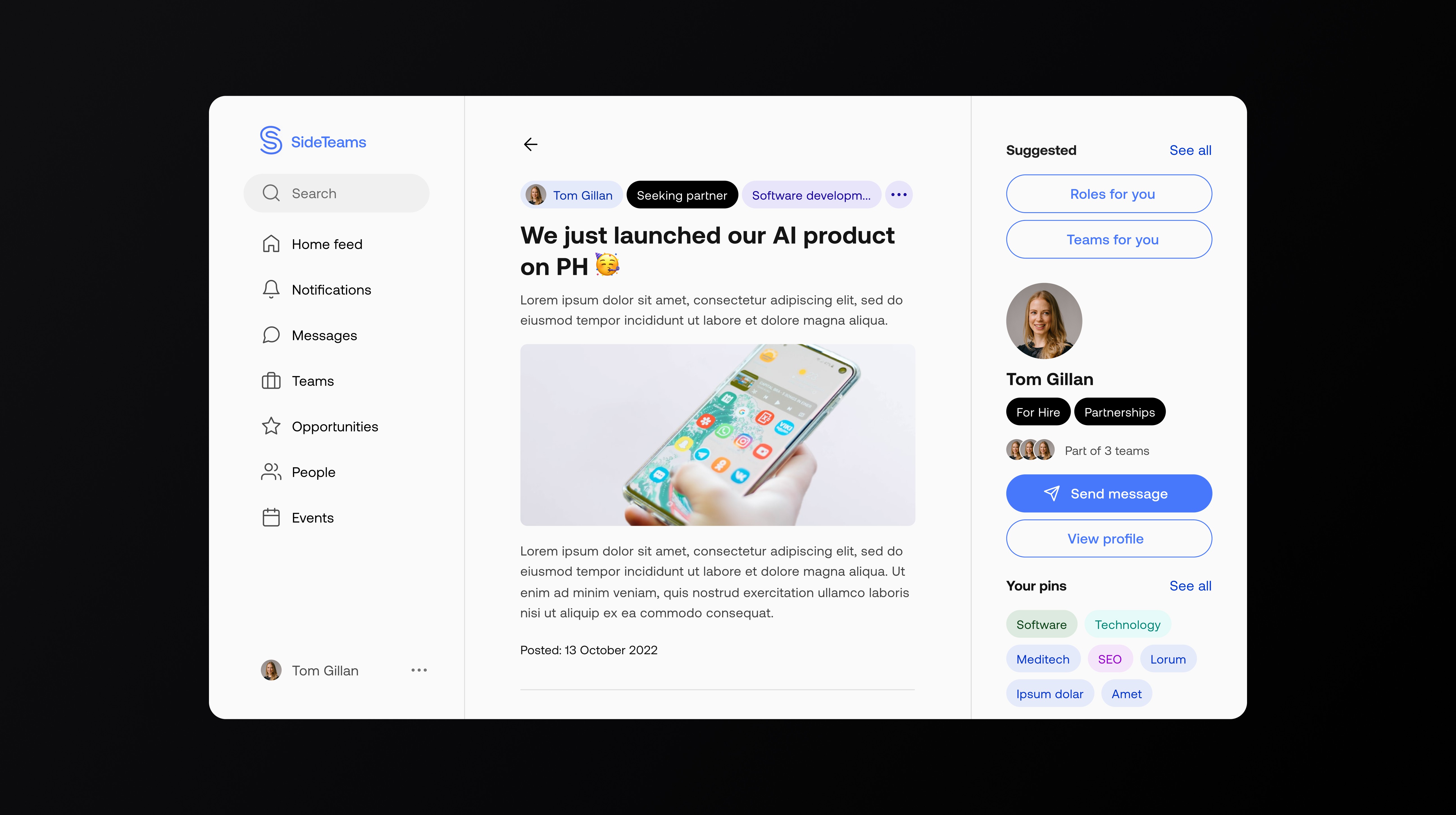
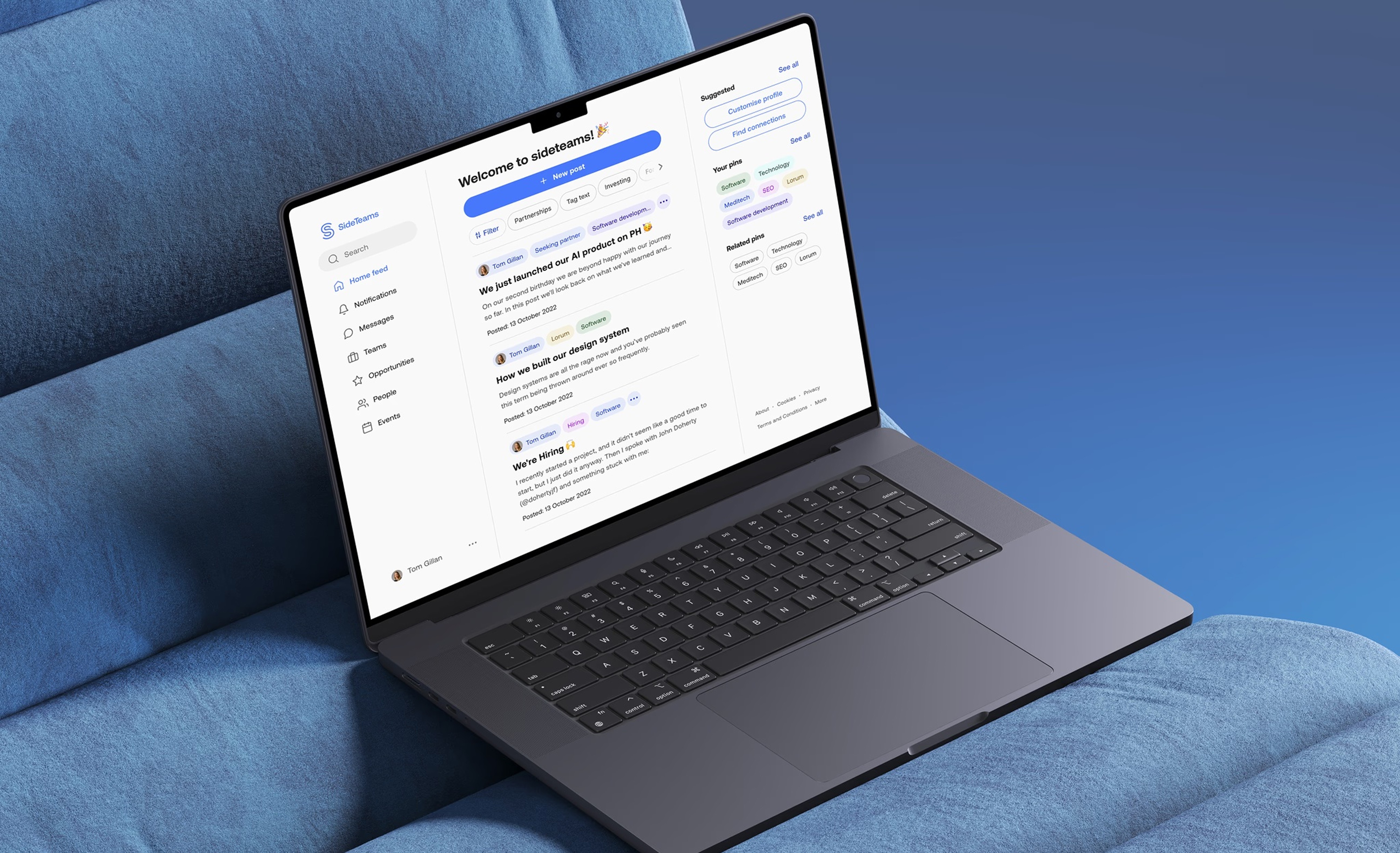
A clean, product-led system that treats everything as a card or a list. Strong type scale, reliable spacing, and contrast tuned for mobile. Tabs, filters, and chips repeat across sections to lower cognitive load and make discovery feel familiar.

My approach focused on auditing first and then improving the new MVP product that prioritised key value adding features and usability.

  1. Discovery – Identified usability issues and accessibility barriers within the original Microsoft prototype.

  2. Design thinking – Defined key users and goals through founder workshops, resulting in three proto-personas.

  3. Wireframing & UX design – Developed responsive layouts for desktop, tablet, and pitch-side use.

  4. UI design – Built a dark-mode interface optimised for clarity, accessibility, and data visualisation.

Join and onboarding

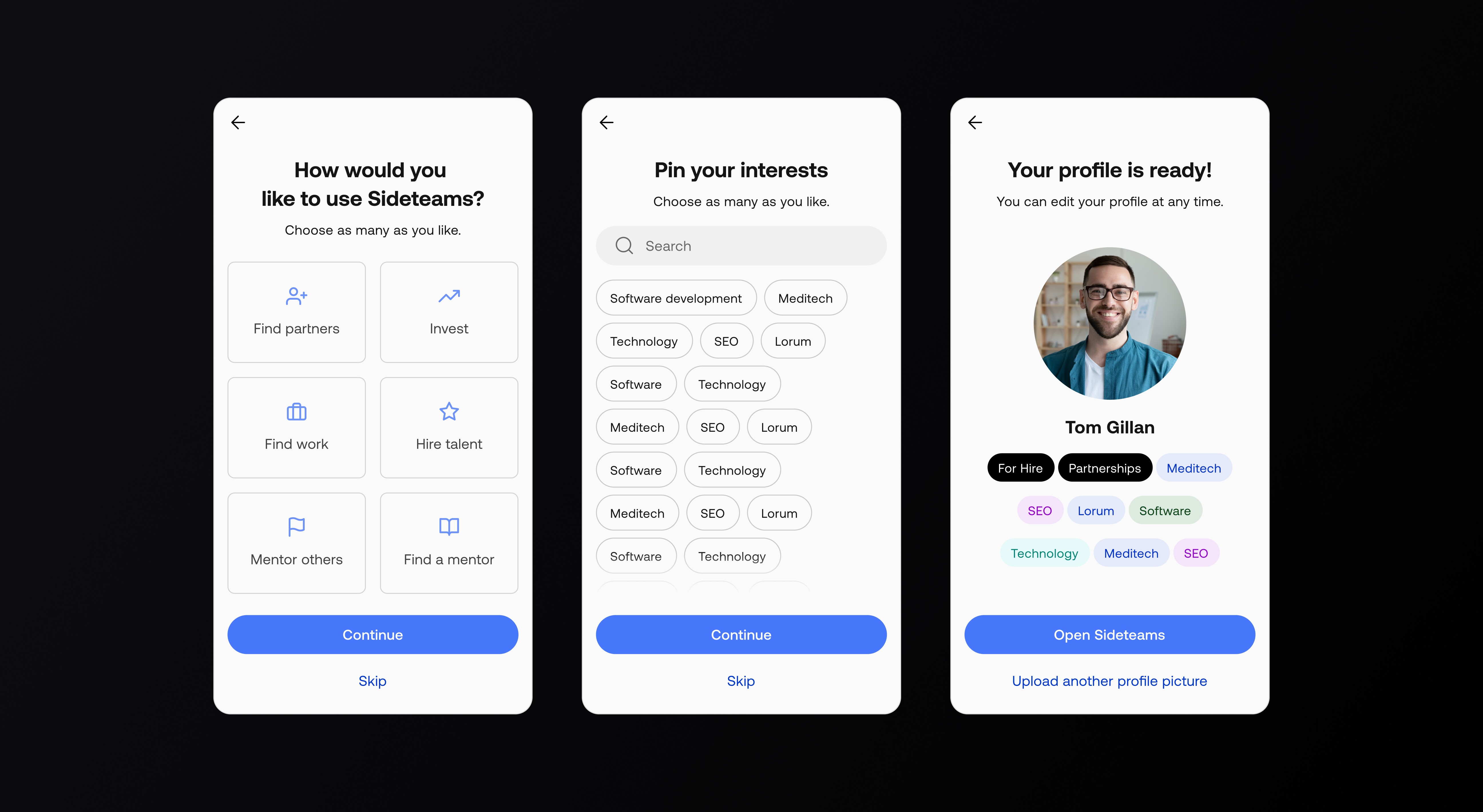
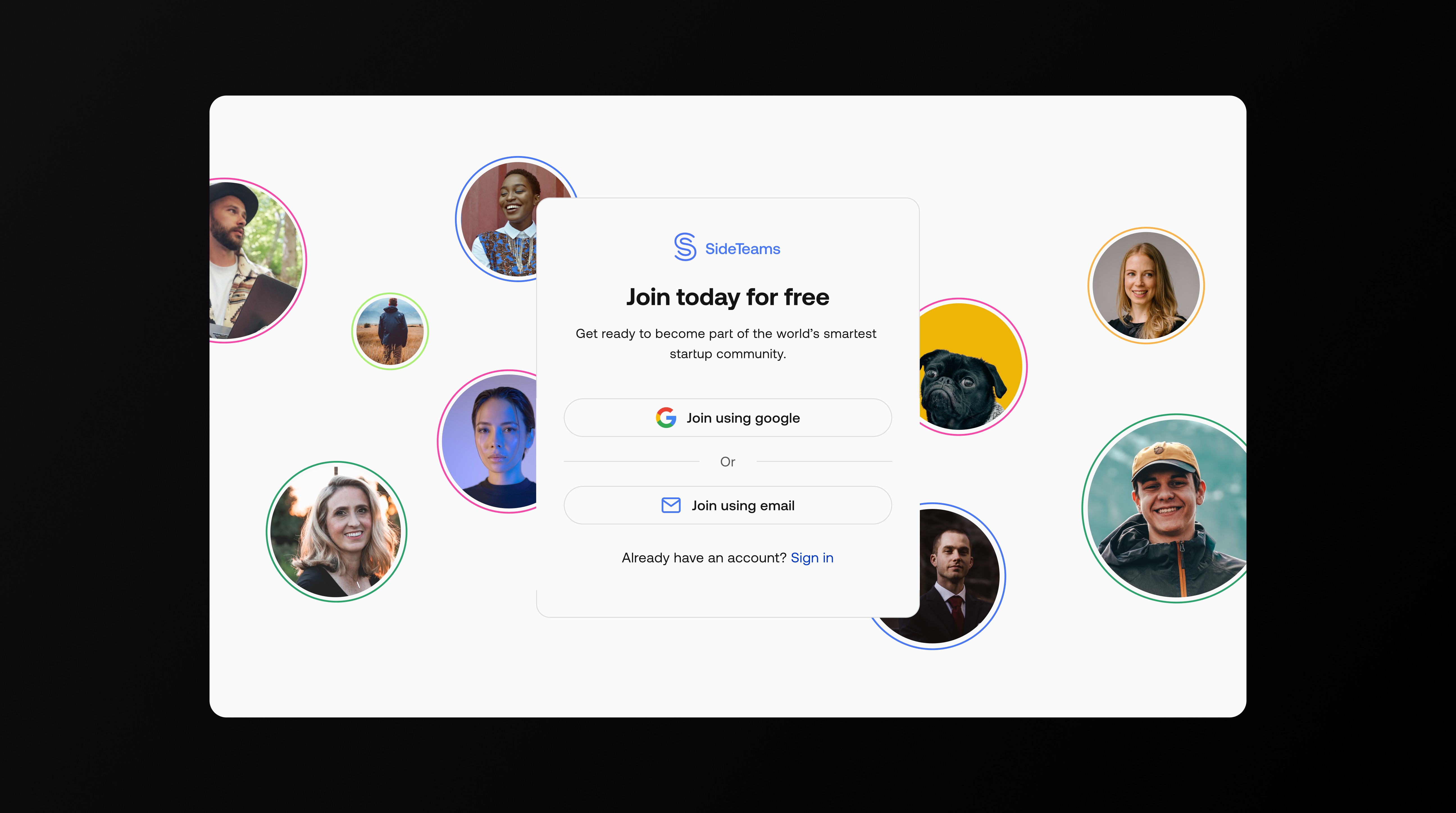
Email or Google, then one short goals step and a light interests picker. Clear “optional” labels and progress feedback.

My approach focused on auditing first and then improving the new MVP product that prioritised key value adding features and usability.

  1. Discovery – Identified usability issues and accessibility barriers within the original Microsoft prototype.

  2. Design thinking – Defined key users and goals through founder workshops, resulting in three proto-personas.

  3. Wireframing & UX design – Developed responsive layouts for desktop, tablet, and pitch-side use.

  4. UI design – Built a dark-mode interface optimised for clarity, accessibility, and data visualisation.

Browse and feed

Cards became the primary link with consistent meta and tags; filters live at the top but don’t compete with content. “Suggested for you” keeps momentum when lists are long.

My approach focused on auditing first and then improving the new MVP product that prioritised key value adding features and usability.

  1. Discovery – Identified usability issues and accessibility barriers within the original Microsoft prototype.

  2. Design thinking – Defined key users and goals through founder workshops, resulting in three proto-personas.

  3. Wireframing & UX design – Developed responsive layouts for desktop, tablet, and pitch-side use.

  4. UI design – Built a dark-mode interface optimised for clarity, accessibility, and data visualisation.

Post detail

Readable article layout with a right rail for related posts and actions; comments kept simple.

My approach focused on auditing first and then improving the new MVP product that prioritised key value adding features and usability.

  1. Discovery – Identified usability issues and accessibility barriers within the original Microsoft prototype.

  2. Design thinking – Defined key users and goals through founder workshops, resulting in three proto-personas.

  3. Wireframing & UX design – Developed responsive layouts for desktop, tablet, and pitch-side use.

  4. UI design – Built a dark-mode interface optimised for clarity, accessibility, and data visualisation.

Profiles and teams

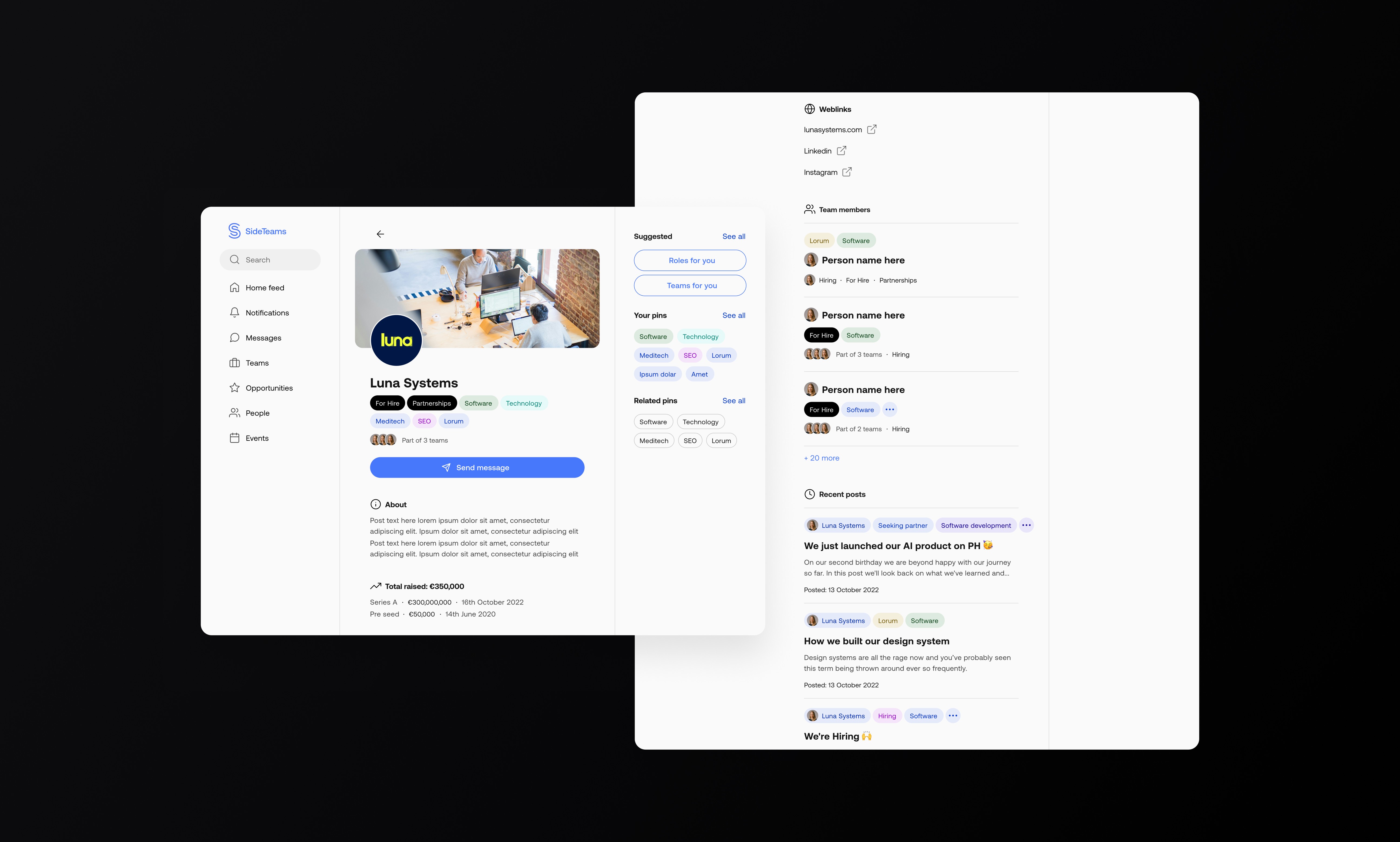
Standardised blocks—About, Links, Activity—plus “Similar” rails to reduce dead ends. Unified directory layout with quick filters (seeking partner, hiring, open to work) and clear summaries.

My approach focused on auditing first and then improving the new MVP product that prioritised key value adding features and usability.

  1. Discovery – Identified usability issues and accessibility barriers within the original Microsoft prototype.

  2. Design thinking – Defined key users and goals through founder workshops, resulting in three proto-personas.

  3. Wireframing & UX design – Developed responsive layouts for desktop, tablet, and pitch-side use.

  4. UI design – Built a dark-mode interface optimised for clarity, accessibility, and data visualisation.

Opportunities

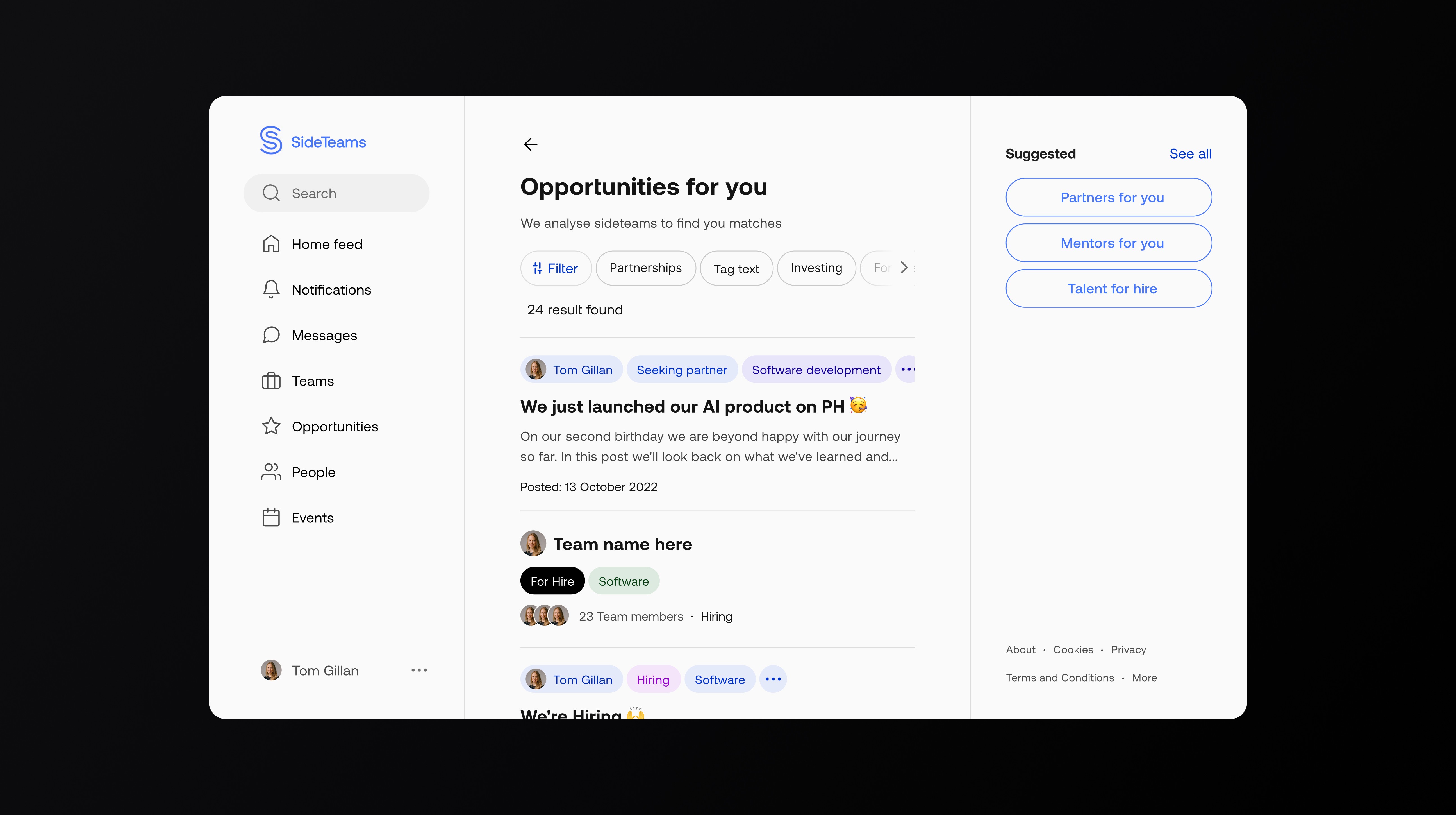
A dedicated listing uses the same card system, so learning one list teaches them all.

My approach focused on auditing first and then improving the new MVP product that prioritised key value adding features and usability.

  1. Discovery – Identified usability issues and accessibility barriers within the original Microsoft prototype.

  2. Design thinking – Defined key users and goals through founder workshops, resulting in three proto-personas.

  3. Wireframing & UX design – Developed responsive layouts for desktop, tablet, and pitch-side use.

  4. UI design – Built a dark-mode interface optimised for clarity, accessibility, and data visualisation.

Outcome

A clearer architecture and a consistent UI kit that addresses the biggest issues from analytics and recordings: better click targets, simpler onboarding, and list pages that invite deeper browsing. (No public metrics are shared; the redesign is positioned for ongoing validation.)

My approach focused on auditing first and then improving the new MVP product that prioritised key value adding features and usability.

  1. Discovery – Identified usability issues and accessibility barriers within the original Microsoft prototype.

  2. Design thinking – Defined key users and goals through founder workshops, resulting in three proto-personas.

  3. Wireframing & UX design – Developed responsive layouts for desktop, tablet, and pitch-side use.

  4. UI design – Built a dark-mode interface optimised for clarity, accessibility, and data visualisation.

Other projects

Projects

Want to see more or like to connect?

Want to see more or like to connect?